AutoDrive version 2.0.1.6 for Farming Simulator 2022 (v1.13.x)
Write the reason for your dislike:
If you do not explain the reason, but write an unintelligible text, you will be deprived of the opportunity to evaluate the mods.
Cancelfrom ModsFire How to install the mod


Сategory
Description
Settings: L Ctrl + L Alt + NUMPAD 0
Version 2.0.1.6 for Farming Simulator 2022 (v1.13.x):
Fixes and improvements:
- Fixed warning for the console command "restartMySavegame";
- Mouse wheel turns are now also possible when using two routes (blue/brown lines);
- Optimized collision sensor to prevent unnecessary braking maneuvers, e.g., on steep roads;
- Maximum distance between bunkers can be set globally, and now also for specific vehicles;
- Experimental "Fold Implements" feature is set to "Yes" by default but currently ignored;
- Number of repeats increased from max. 9 to 99;
- Number of repeats can be set using the mouse wheel (even faster with LShift);
- Entries in the F1 menu were still displayed despite being deactivated;
- After switching from one load to Multiselect, the previously individually selected load was still active;
- Customizable background color for the text field and line display scale increased up to 1000%;
- AD stops under the bridge when a train passes over it;
- Distributed unloading at the field exit with the "Nearest" strategy does not work;
- Bug in 'currentDischargeNode' (null value);
- The angle of change (behind the waypoint) that AD still controls/uses for turning reduced from 90 to 80°;
- Improved recognition of vehicles on two-way routes (vehicles traveling in the same direction were recognized incorrectly);
- Fixed approach to the combine from the Premium extension.
New features:
- Vehicle manager for bunker silo to detect vehicles in bunkers: applies only to vehicles unloading into one bunker (distributed unloading, destinations in one folder). Detection distance can be adjusted in global settings, does not affect CoursePlay bunkers;
- Creating an additional waypoint by mouse click: two-way routes are already created using LCTRL + LALT, then LMB. New: with LCTRL + LShift, then LMB you can create branches;
- Debugging waypoints outside the map (in single player): move the vehicle closer to the waypoints, activate editor mode, then activate route network debugging. If developer debugging is then activated, waypoints move to the vehicle. Note: works only for waypoints outside the map. For example, standard map size 1,024 x 1,024: waypoint coordinates must be greater than 1,024 or less than -1,024.
Rules for writing comments. For non-compliance - ban!
Forbidden:- Use of profanity in messages
- Communication is not on the topic of the material
- Any insults of other users, including the author of the material
- Writing messages in whole or in part in CAPITAL letters (Caps Lock)
- Expressing your opinion without supporting it with arguments
- The use of links to third-party sites, or the use of images/videos/other content containing the aforementioned links
Rules for writing reviews
The review must necessarily be about a specific material (not about the uploader, not about the author and all his works in general)
Forbidden:- Use of profanity (mat)
- Writing a review in whole or in part in CAPITAL letters (Caps Lock)
- Expressing your opinion without supporting it with arguments
- The use of links to third-party sites, or the use of images/videos/other content containing the aforementioned links
There are no reviews yet. Be the first!
Log in to your account to add a review

Version 2.0.1.4 for Farming Simulator 2022 (v1.12x):
This mod can be used to create a network of routes for vehicles for autonomous driving. After setup, you can instruct a tractor standing anywhere near the network to drive to any point, such as the shop, field No. 1, or the selling point.
Settings: L Ctrl + L Alt + NUMPAD 0
Changes:
- Fixed an issue with reverse movement with the EZ1700 body and axle-mounted attachments;
- Fixed an issue where vehicles no longer continue moving after unloading (pickup and delivery, combine operation mode).


from ModsFire Download (1,8 MB)
from ShareMods
Version 2.0.1.0 for Farming Simulator 2022 (v1.8x):
This mod can be used to create a route network for vehicles to drive autonomously. Once configured, you can tell a tractor anywhere near the net to drive to any point, such as a store, field #1, or a point of sale.
Settings: L Ctrl + L Alt + NUMPAD 0
Changes:
- Fixes and improvements.
from ModsFire Download (1,8 MB)
from ShareMods
Version 2.0.0.9 for Farming Simulator 2022 (v1.8.x):
This mod can be used to create a route network for vehicles to drive autonomously. Once configured, you can tell a tractor anywhere near the net to drive to any point, such as a store, field #1, or a point of sale.
Settings: L Ctrl + L Alt + NUMPAD 0
Changes:
- Current version.
from ShareMods Download (1,8 MB)
from ModsBase
Version 2.0.0.7 for Farming Simulator 2022 (v1.3.0.0):
This mod can be used to create a route network for vehicles to drive autonomously. Once configured, you can tell a tractor anywhere near the net to drive to any point, such as a store, field #1, or a point of sale.
Settings: L Ctrl + L Alt + NUMPAD 0
Changes:
Fixes and improvements:
- Disabled the collision check added in the previous version for active conveyor belts;
- Fixed a bug due to which user settings were not saved.
from ShareMods Download (1,7 MB)
from ModsBase
Version 2.0.0.6 for Farming Simulator 2022 (v1.3x):
This mod can be used to create a route network for vehicles to drive autonomously. Once set up, you can tell a tractor anywhere near the net to drive to any point, such as a store, field #1, or a point of sale.
Settings: L Ctrl + L Alt + NUMPAD 0.
Changes:
- Actual version.
from ShareMods Download (1,7 MB)
from ModsBase
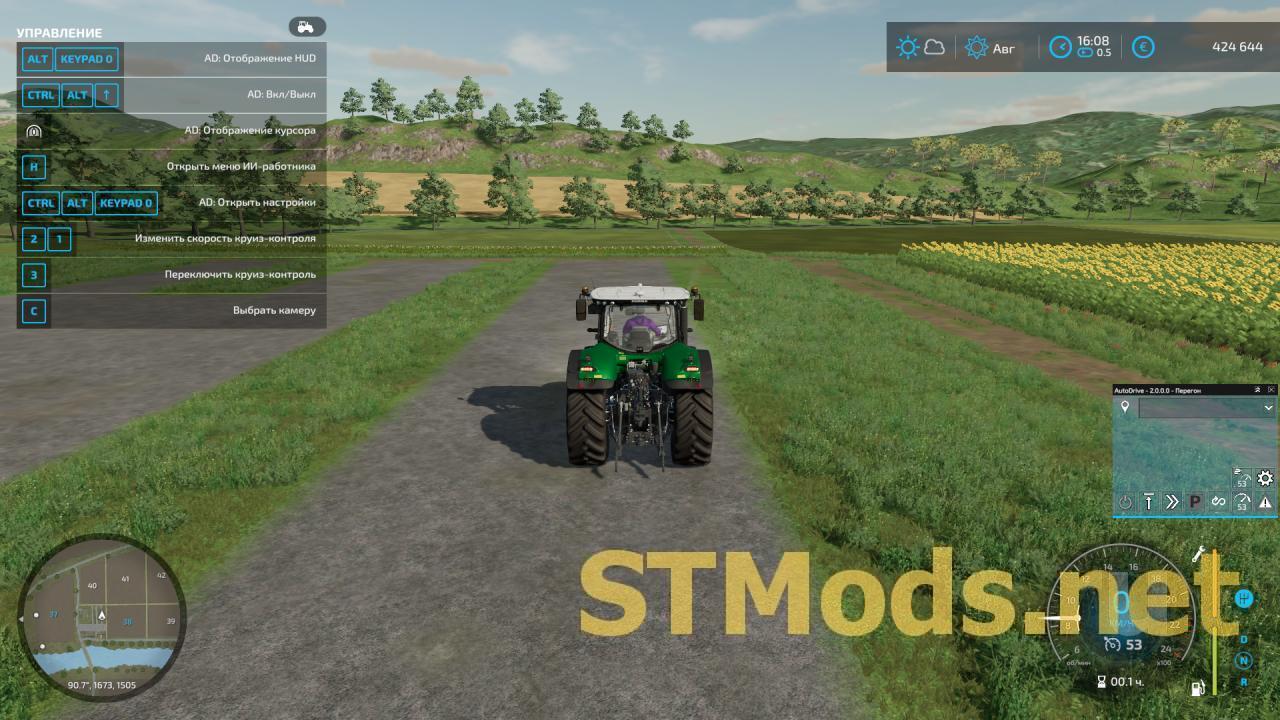
Version 2.0.0.4 for Farming Simulator 2022 (v2.0.0.4):
This mod can be used to create a route network for vehicles to drive autonomously. Once set up, you can tell a tractor anywhere near the net to drive to any point, such as a store, field #1, or a point of sale.
Settings: L Ctrl + L Alt + NUMPAD 0.
Changes:
Исправления и улучшения:
- Улучшение работы разгрузчика при уборке картофеля;
- Разгрузчик подъезжал слишком близко к комбаину;
- Улучшение обнаружения сборщиков сахарного тростника;
- Разгрузчики не заезжали под трубу при разгрузке во время движения;
- Исправлены ошибки, связанные с заправкой;
- Исправлена ошибка LUA относительно красной строчки в консоли;
- Исправлен сбой сервера, если существует несколько не связанных маршрутных сетей;
- Разгрузчик не мог найти путь на поле;
- В сообщении об ошибке показывался неверный пункт назначения;
- Исправлено предупреждающее сообщение относительно messageBackground.dds;
- Не работали комбинации клавиш, касающиеся редактирования маршрутов;
- Комбинации клавиш со стрелками вызывали ошибки между AD и CP;
- Возможное исправление при использовании мода "FS22_PlayerPositionSaver";
- Удалены неправильные и не нужные строки перевода;
- Все уведомления теперь отображаются только вверху;
- AD-HUD(Мини HUD AutoDrive) можно скрыть в меню, нажав X;
- Улучшение блокировки осей прицепа при движении задним ходом;
Нововведения:
- Теперь когда режим редактора активен, вся сеть маршрутов отображается в меню;
- AutoDrive и CoursePlay снова работают вместе, и кнопка CP активна, если CP установлен;
Обратите внимание, что кнопка CP становится активной только тогда, когда AD достигает места назначения:
- Если AD не был запущен с CP, CP запускается с первой точки хода CP;
- Если AD был начат с CP, то по возвращении в первый AD-пункт назначения CP начинается с той точки хода CP, на которой оно было остановлено.
Кнопка CP деактивируется при «ручном» взаимодействии со всей последовательностью:
- Изменение первой цели AD;
- Отправить на заправку, на ремонт или на парковку с помощью комбинации кнопок или HUD;
- Автоматическая заправка, ремонт или парковка в порядке (будет интегрирована в процесс AD);
- Или игрок деактивирует его сам.
- Эти действия эффективны, даже если AD не активна, и работающее задание CP также останавливается;
- Если режим AD изменен, это не действует до тех пор, пока не изменяется первая цель;
Подсказки:
Если сеялка запущена без удобрений, CP немедленно сообщает о том, что она пуста. Здесь функция удобрения должна быть деактивирована в CP.
желательно установить активацию CP-HUD правой кнопкой мыши на другую клавишу или отключить ее
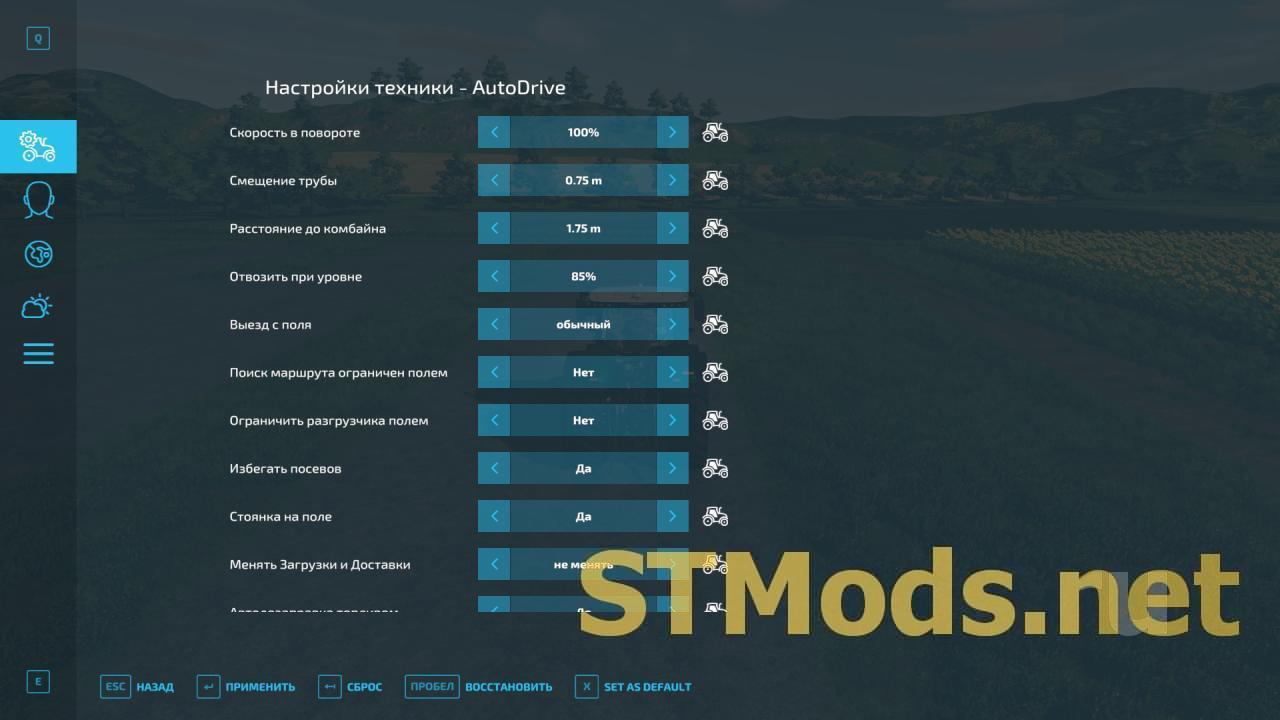
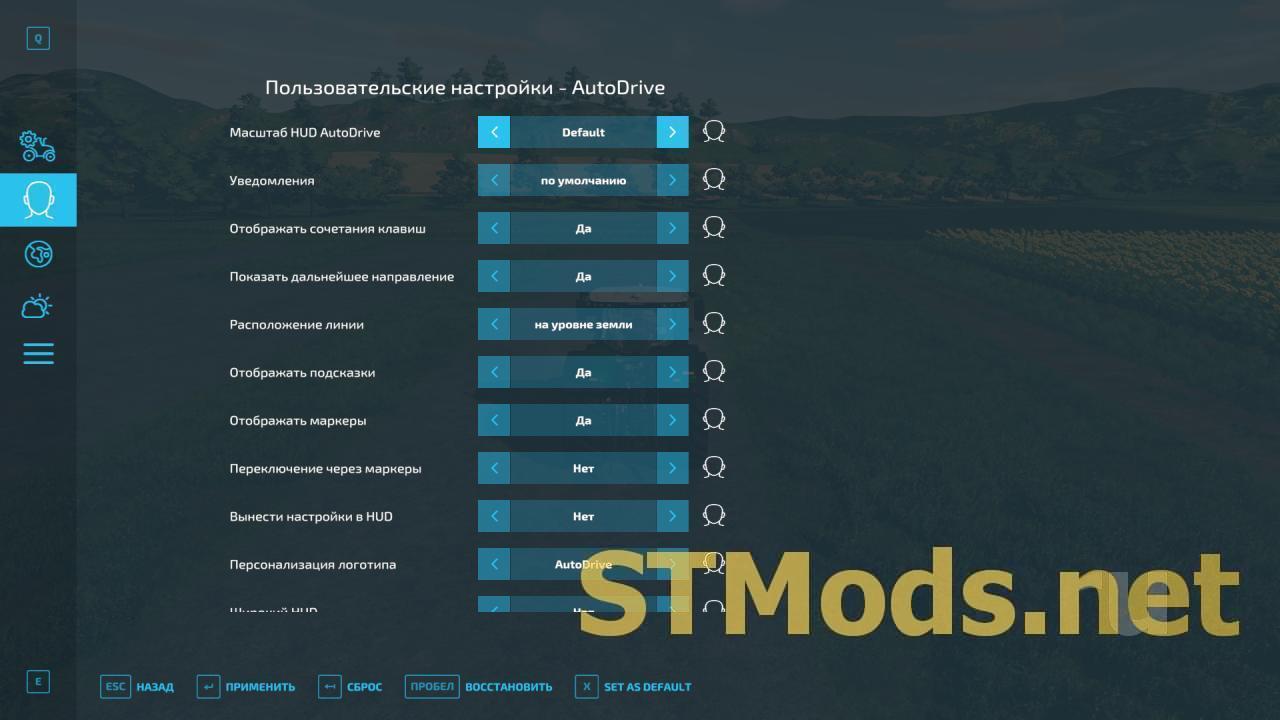
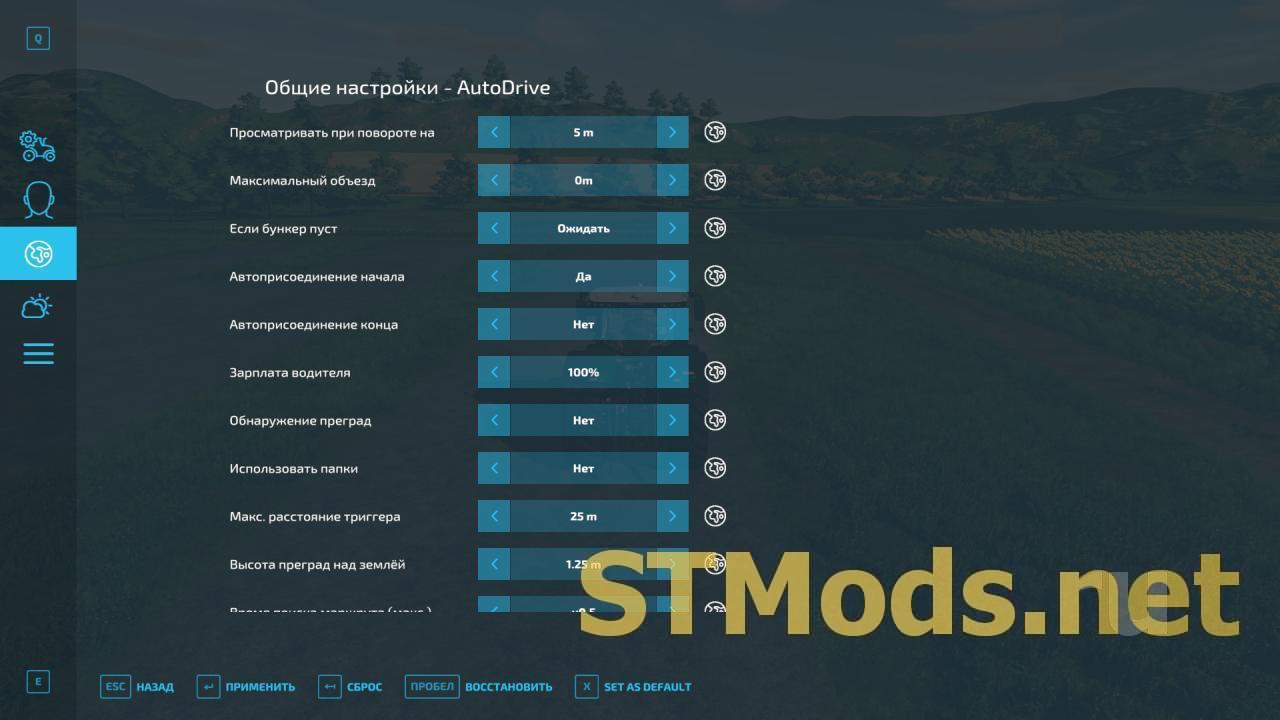
from ShareMods Download (1,7 MB)
from ModsBase

 Spintires: MudRunner
 SnowRunner
 Euro Truck Simulator 2
 American Truck Simulator
 Farming Simulator 2017
 Farming Simulator 2019
 Farming Simulator 2022
 BeamNG.drive
 City Car Driving
 Farming Simulator 20
 OMSI 2
 Assetto Corsa
 MXB
MXB
