FSModAssistant version 3.2.0 for Farming Simulator 2022
Write the reason for your dislike:
If you do not explain the reason, but write an unintelligible text, you will be deprived of the opportunity to evaluate the mods.
Cancelfrom ModsFire Download (83,1 MB)
from ShareMods


Сategory
Description
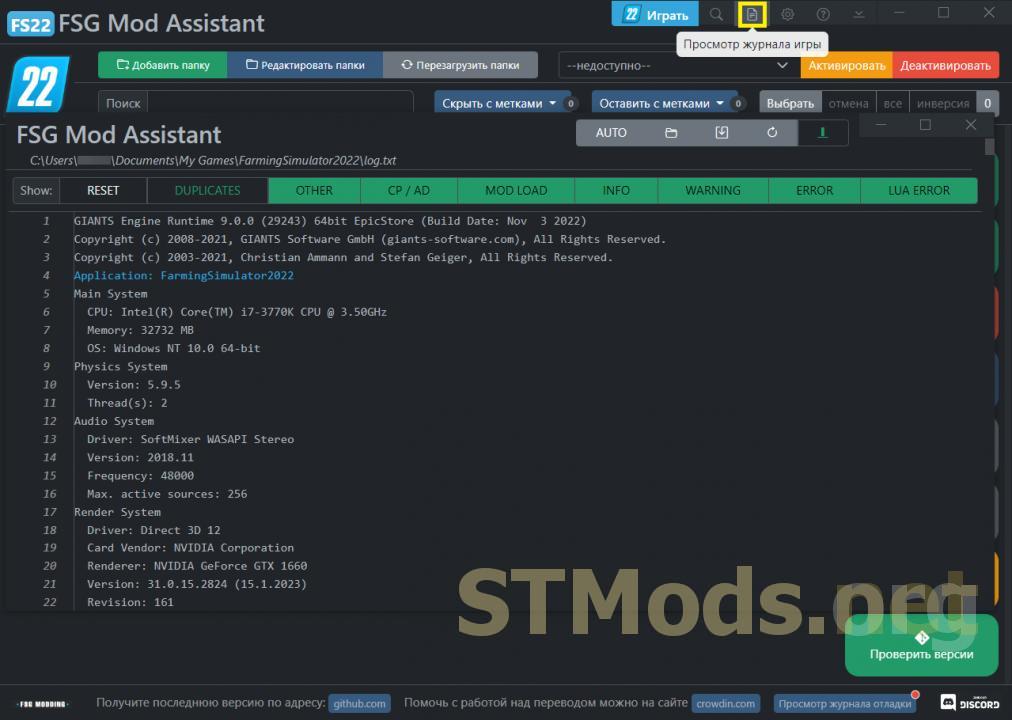
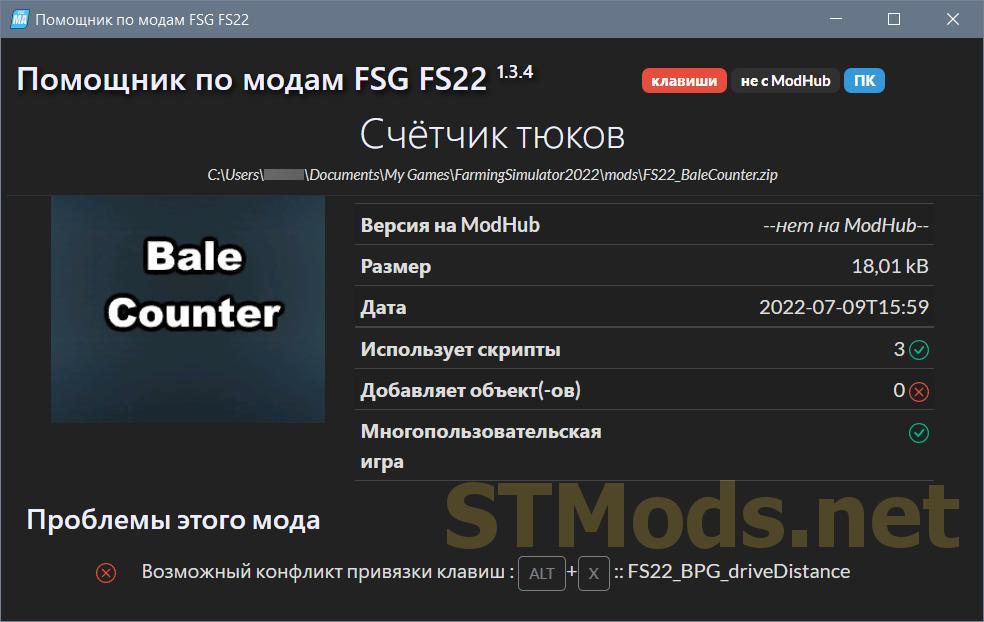
- Check mods to ensure they (likely) work in the game;
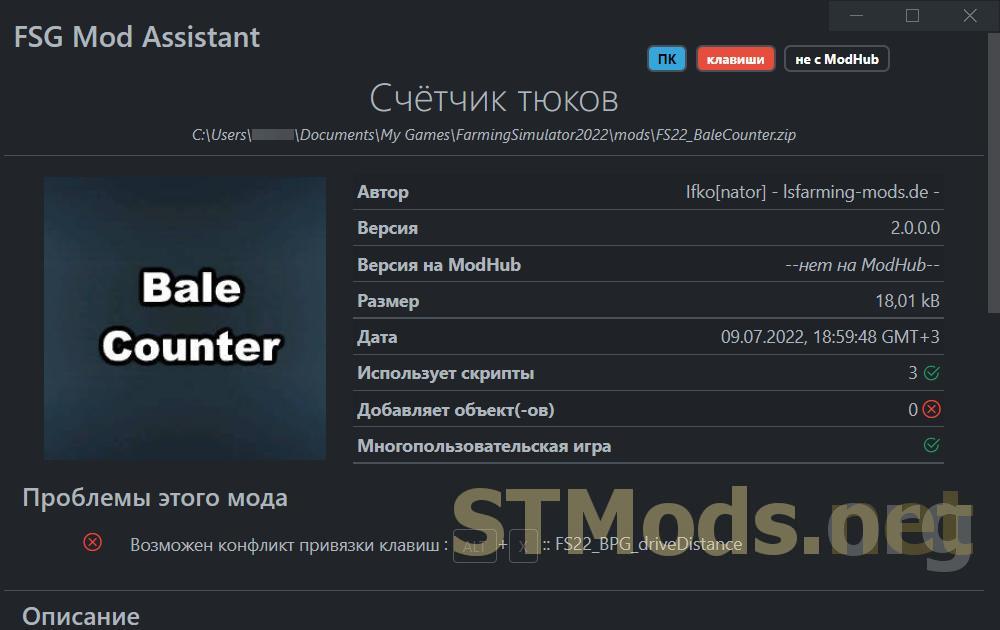
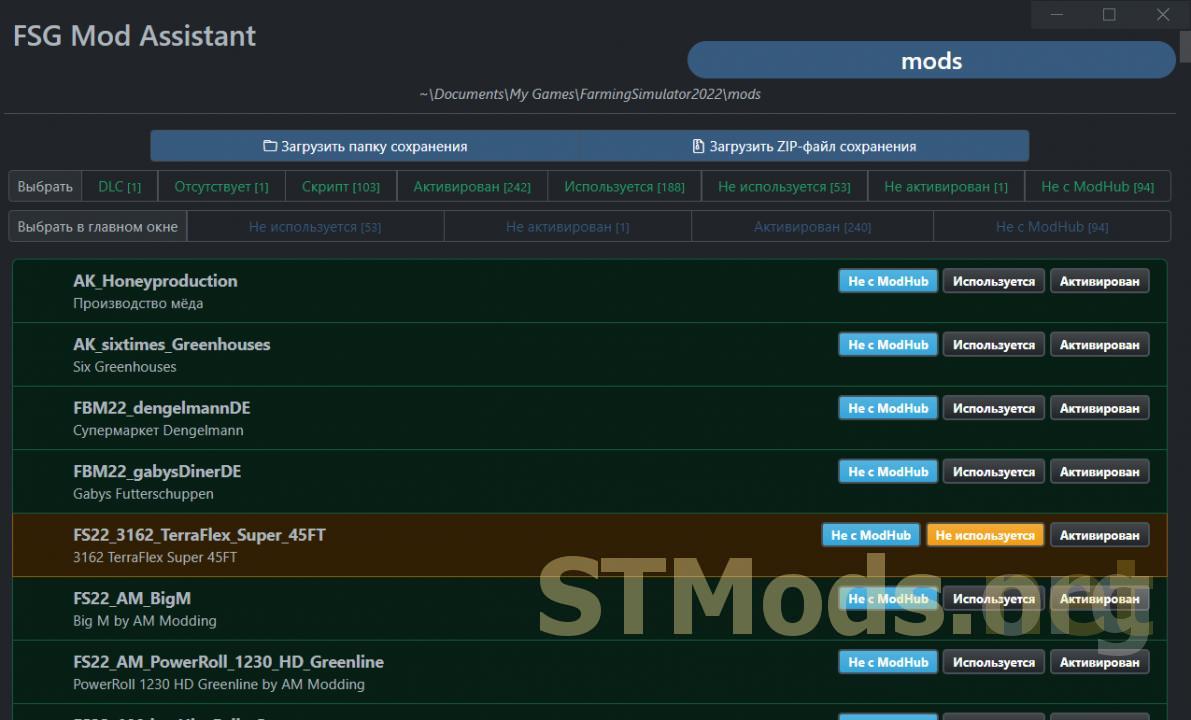
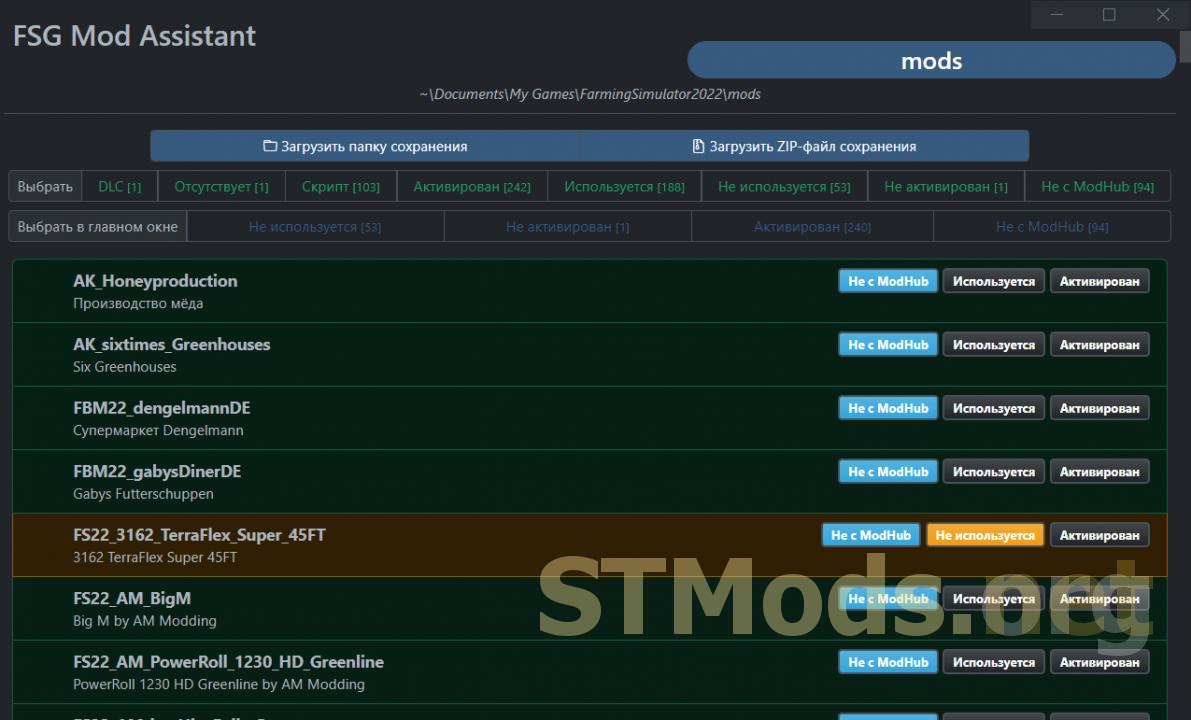
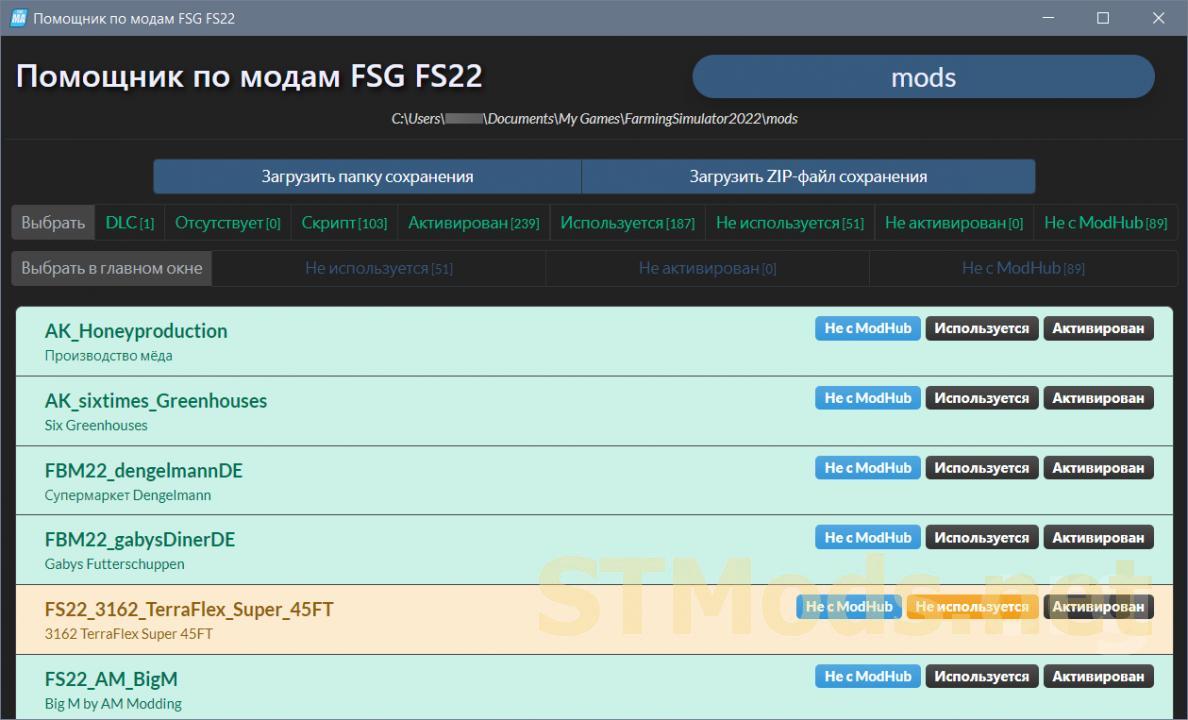
- Compare the collection with the saved game to see what is used and what is not;
- Resolve differences in mod versions between collections.
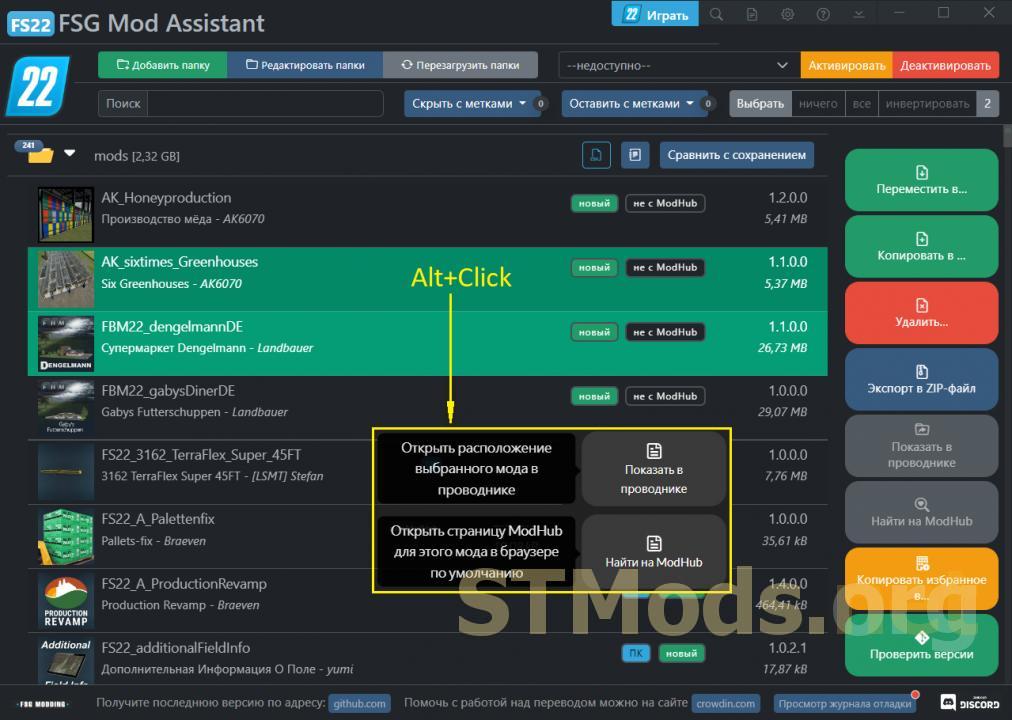
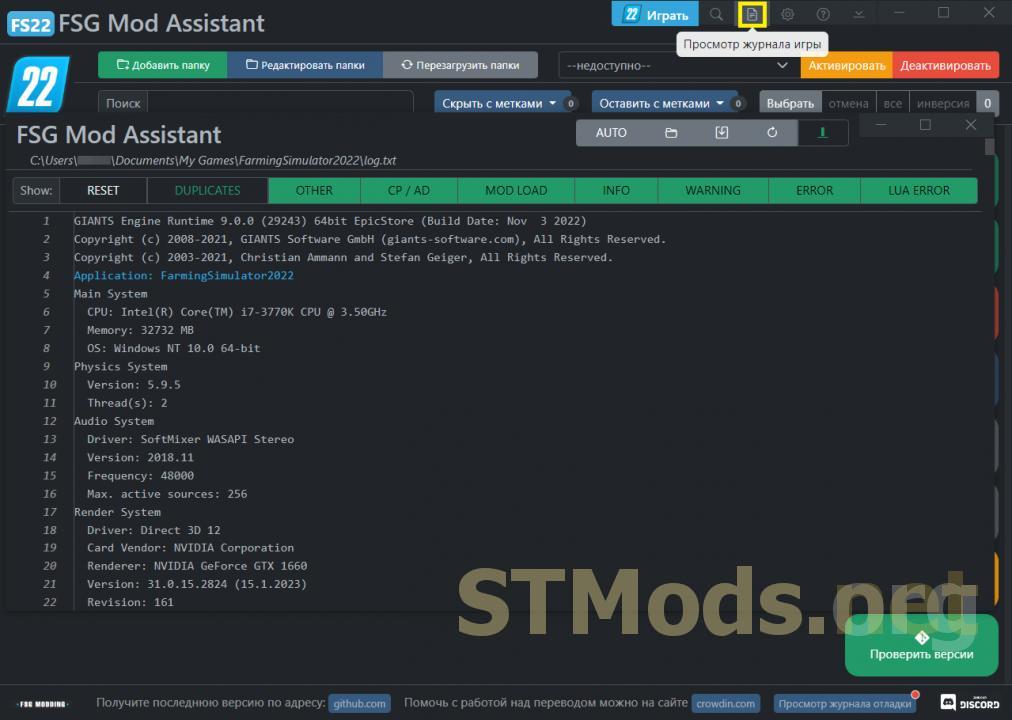
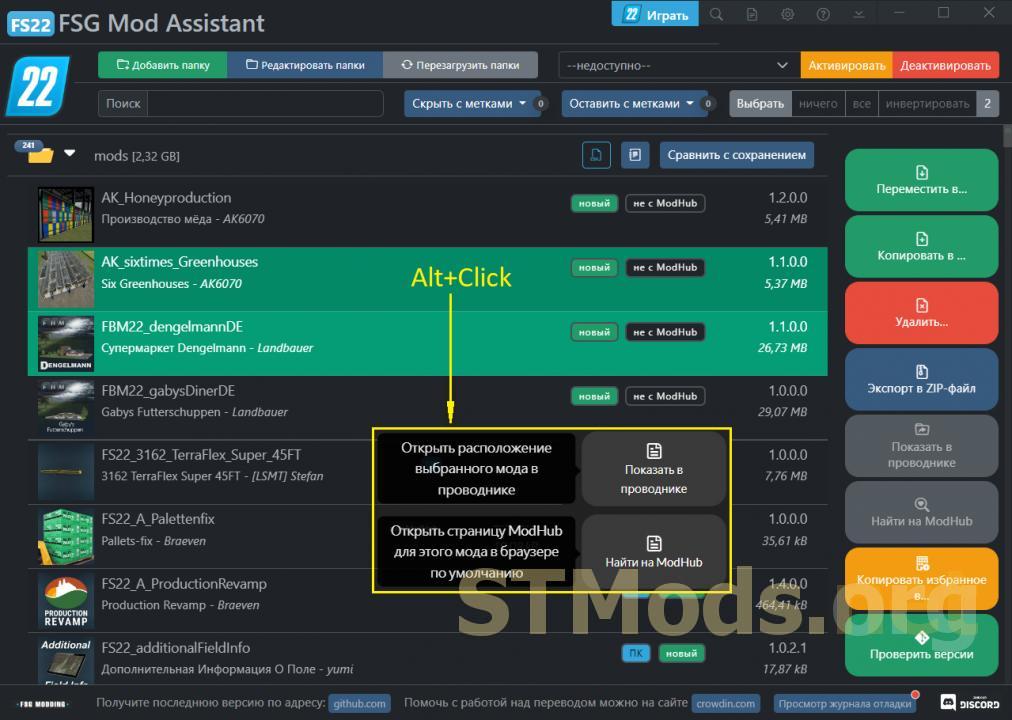
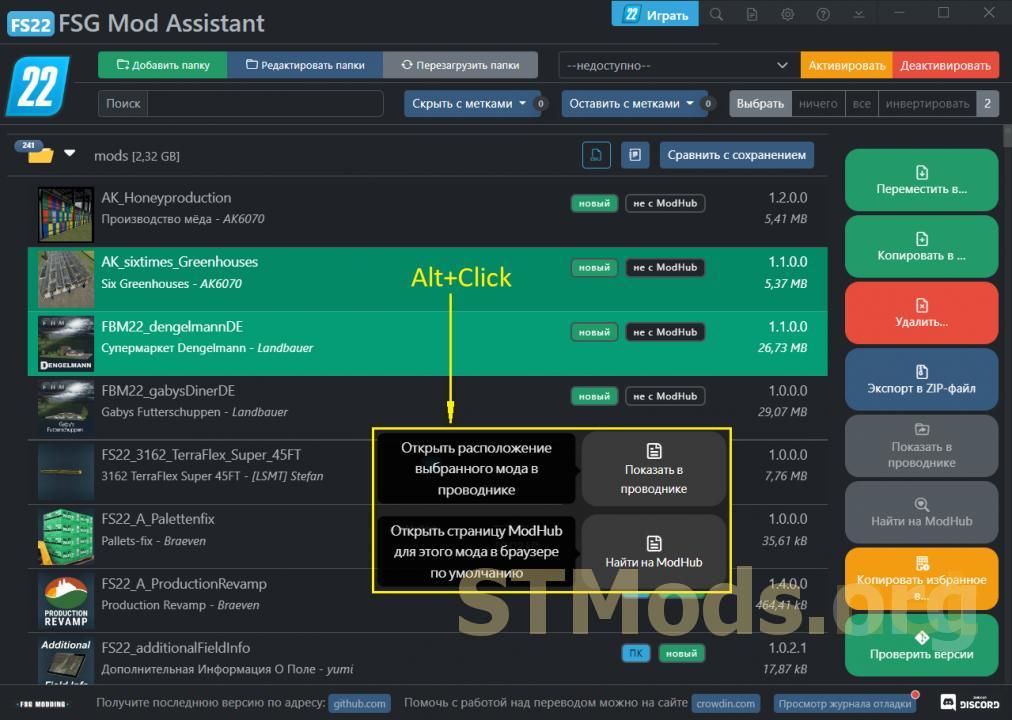
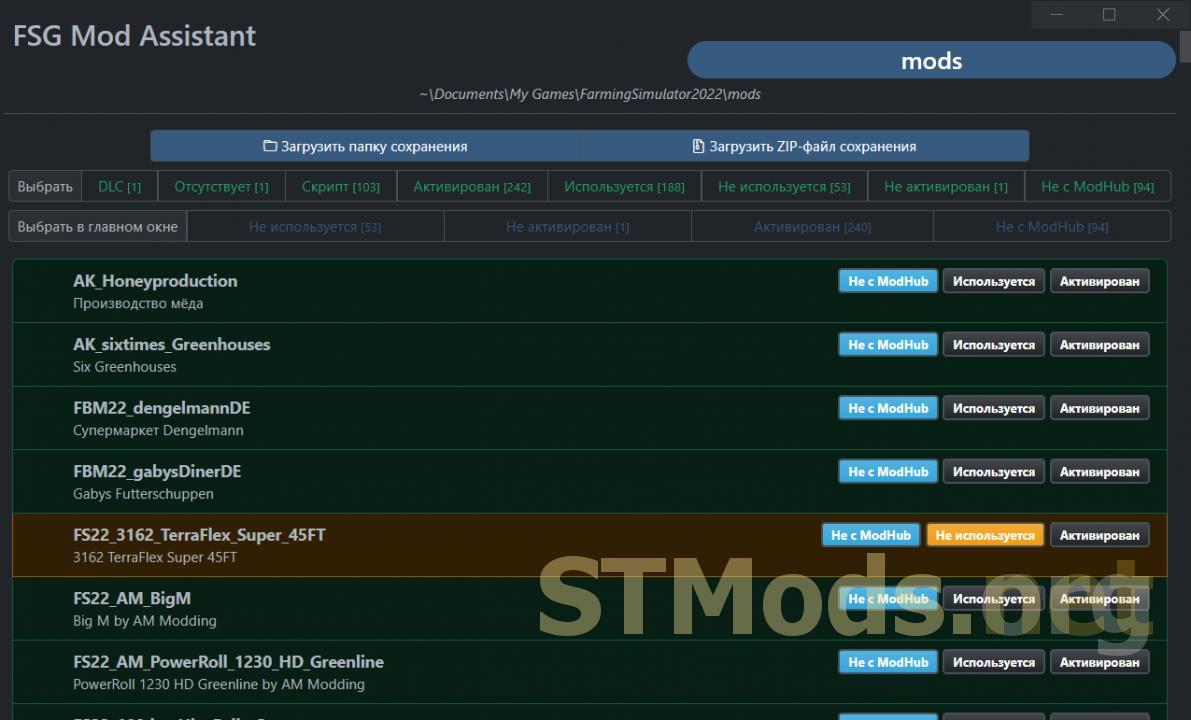
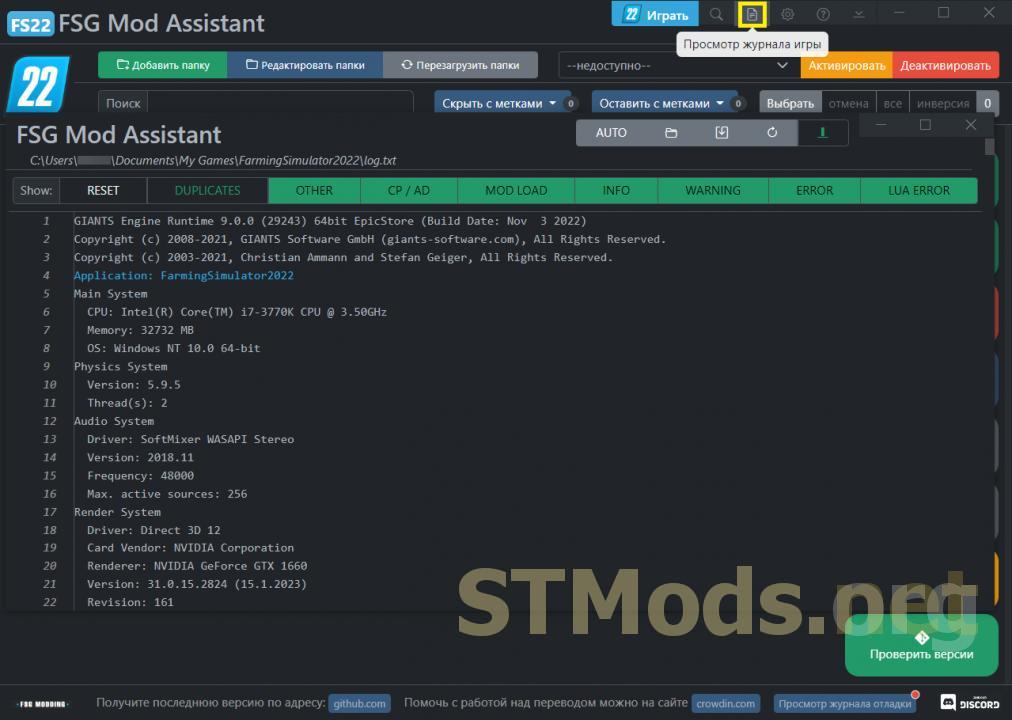
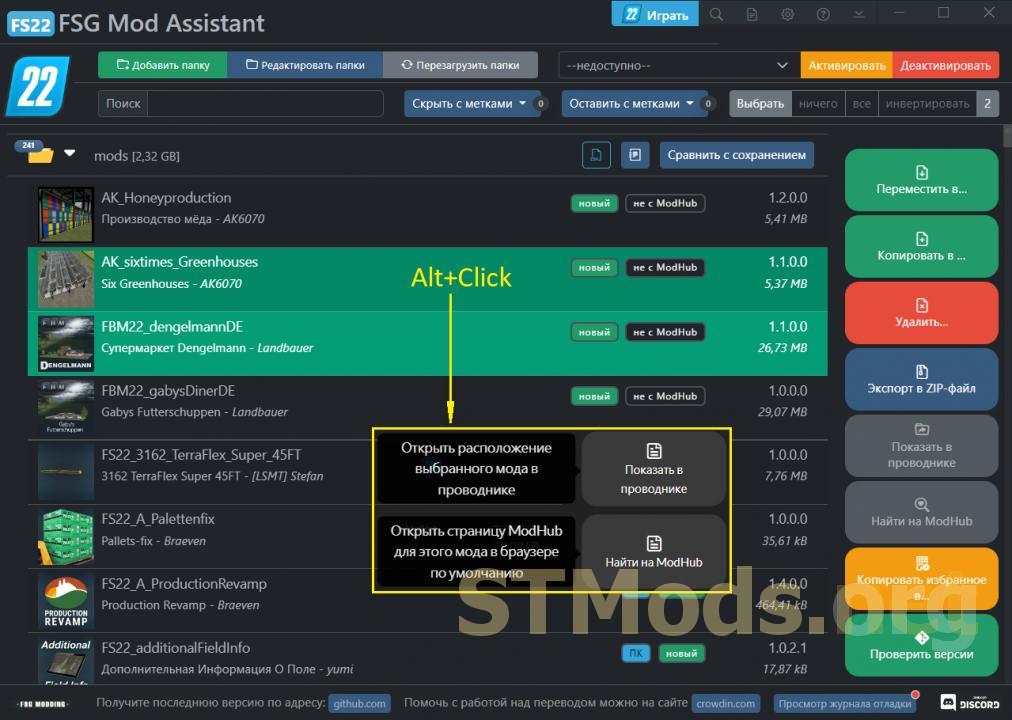
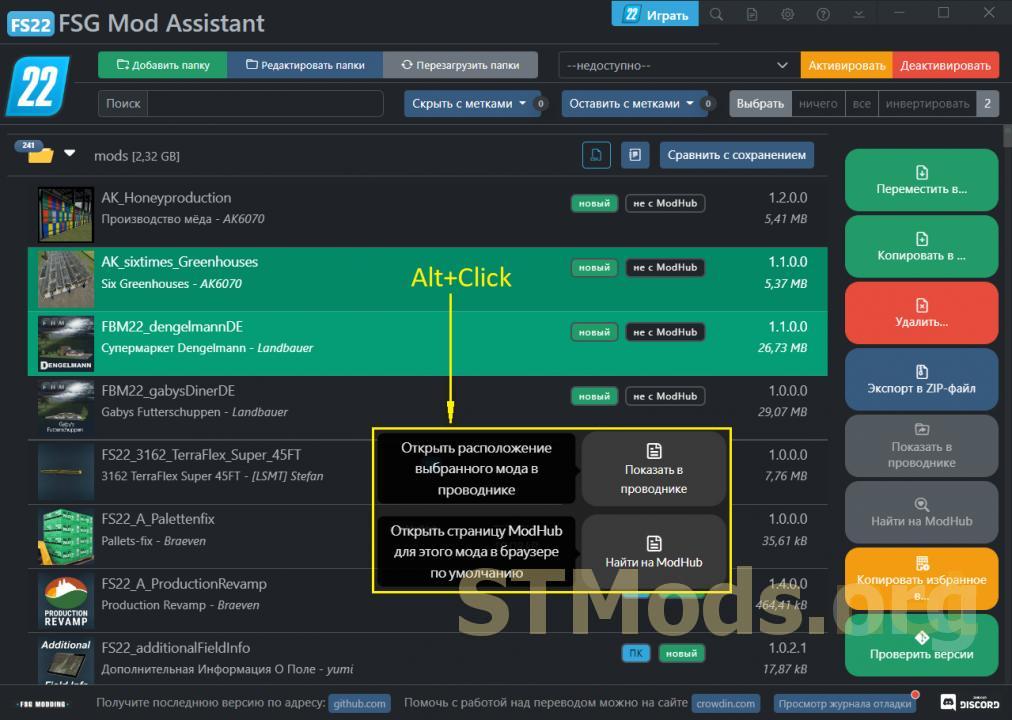
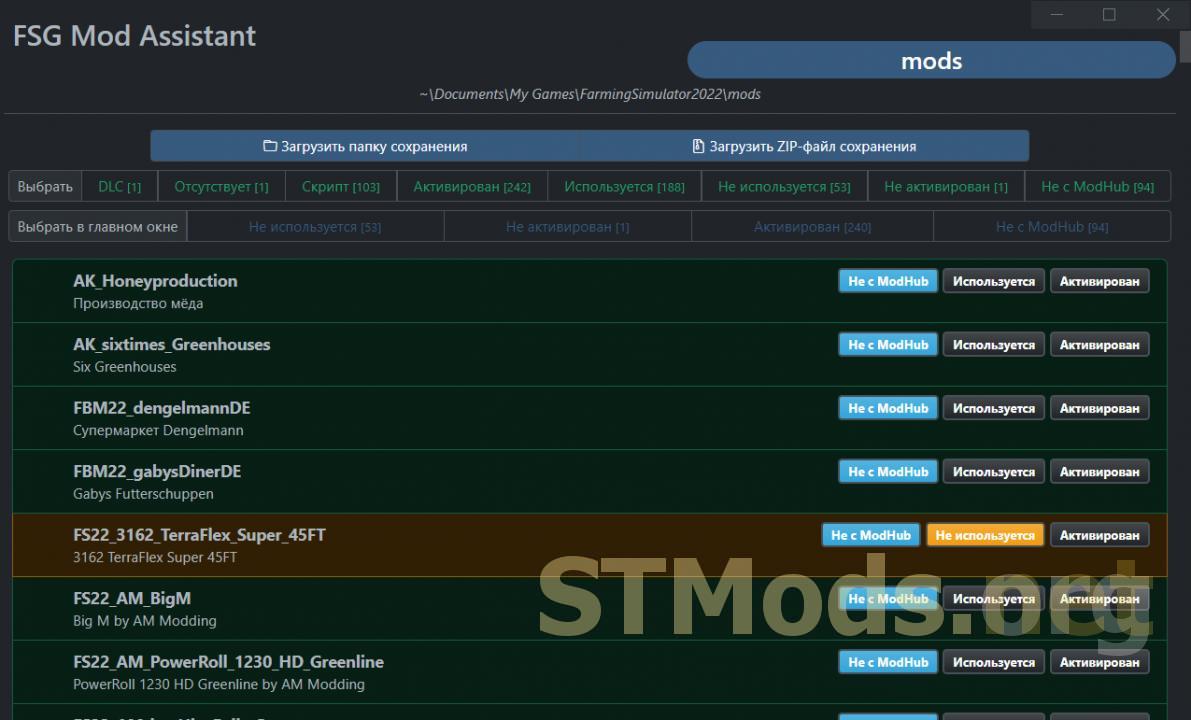
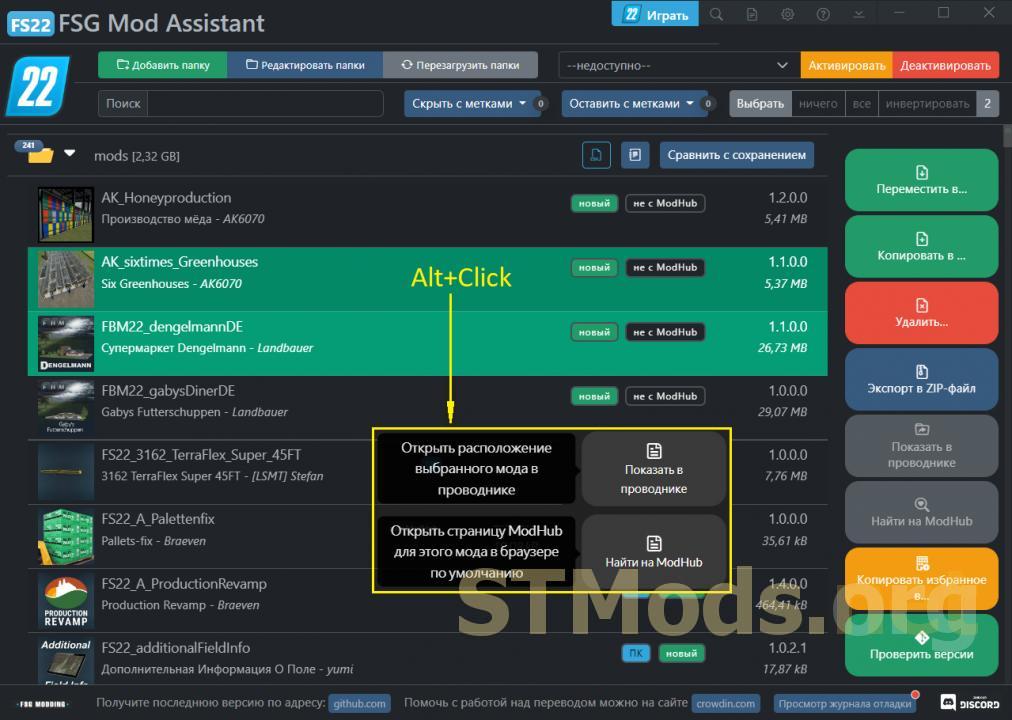
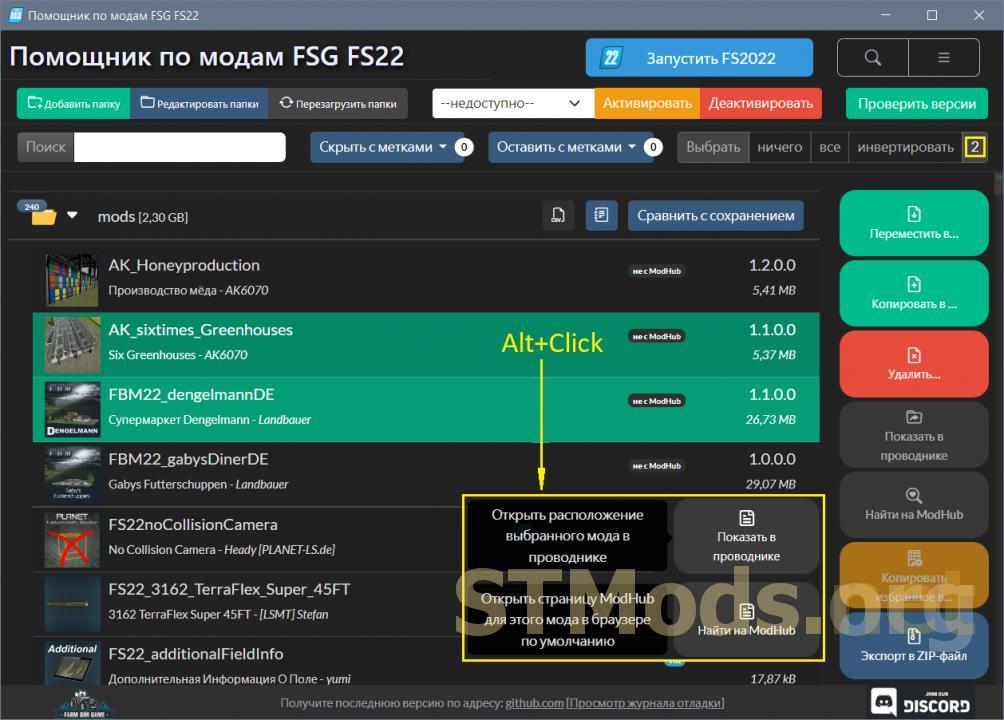
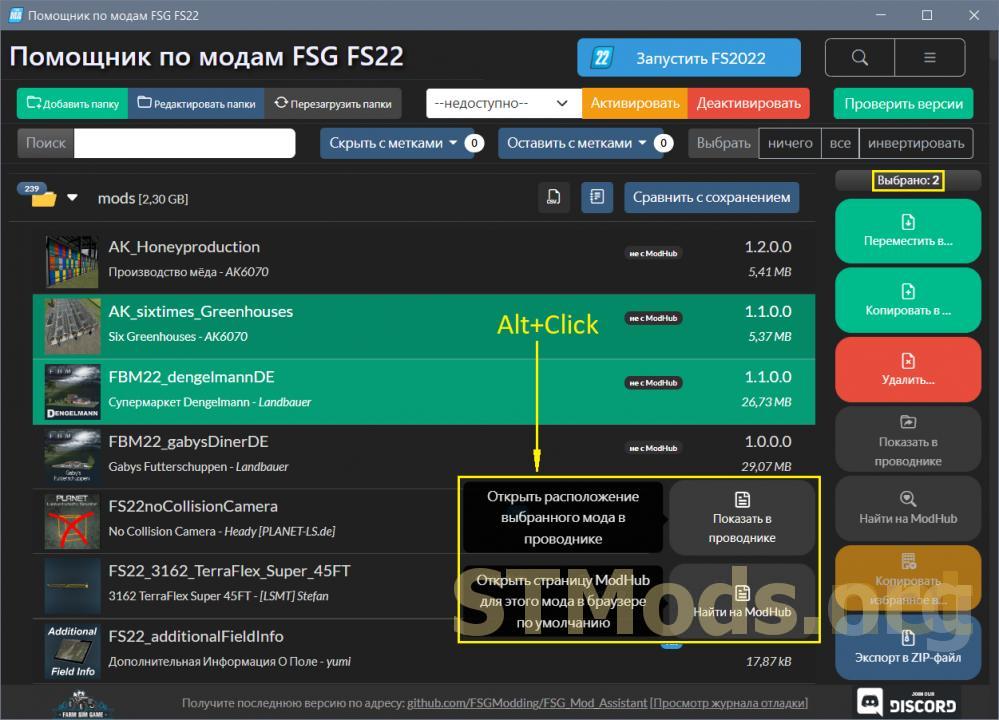
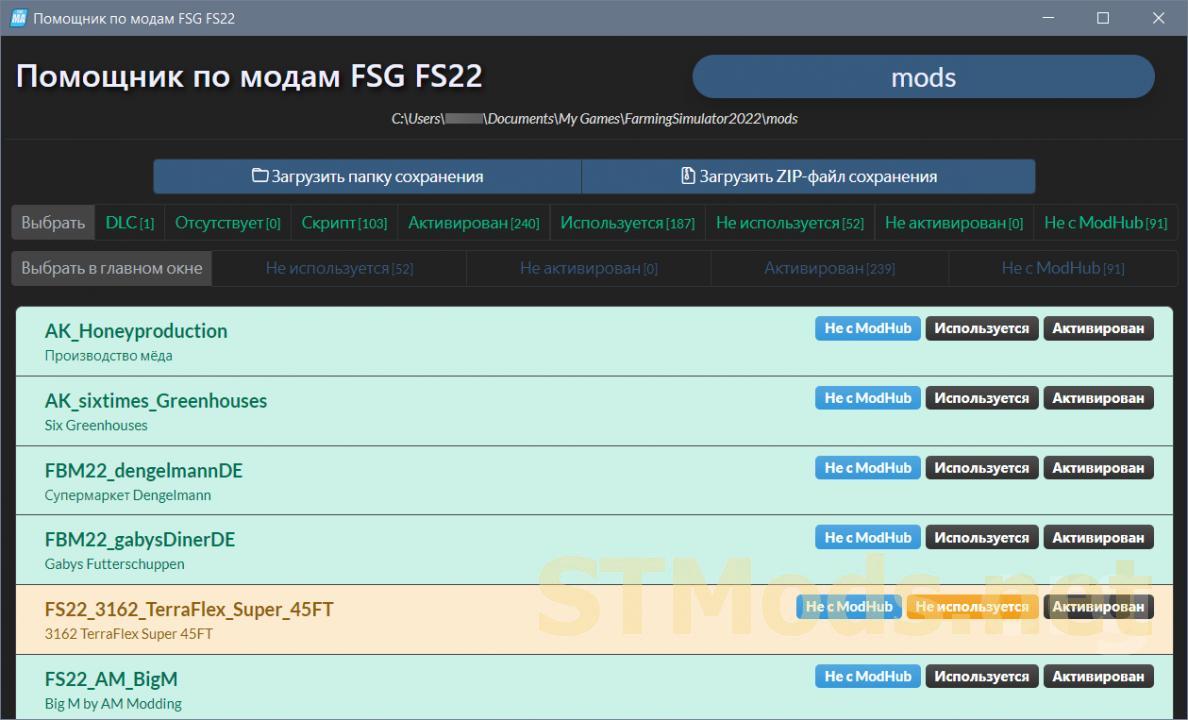
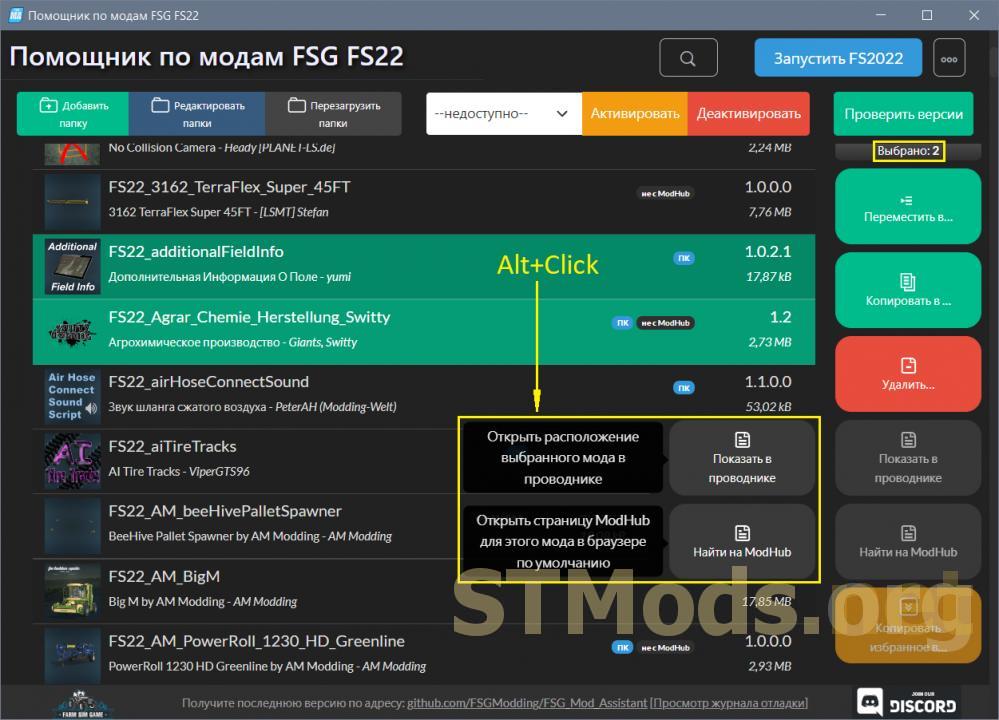
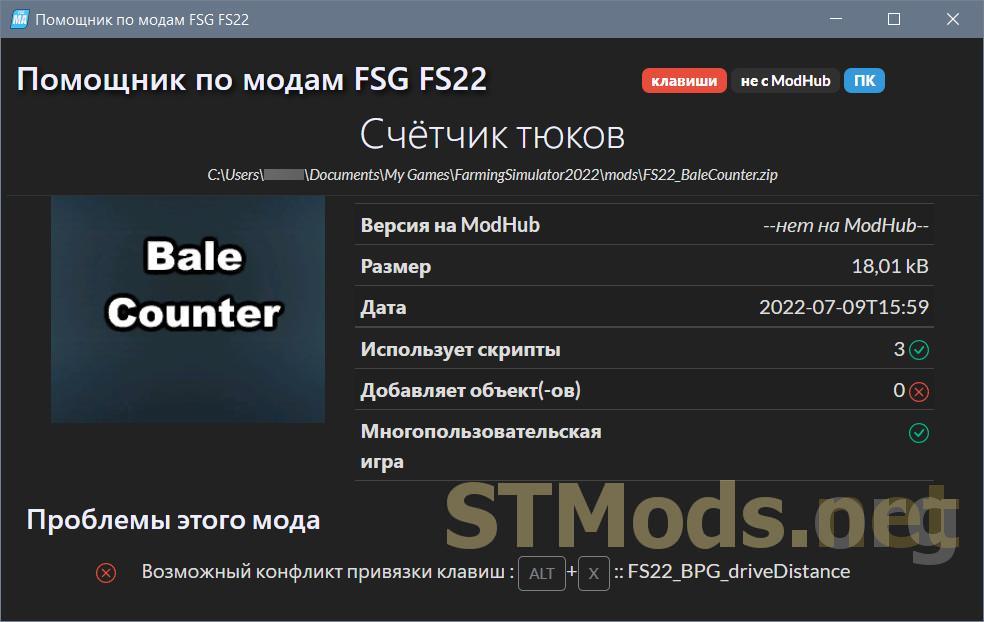
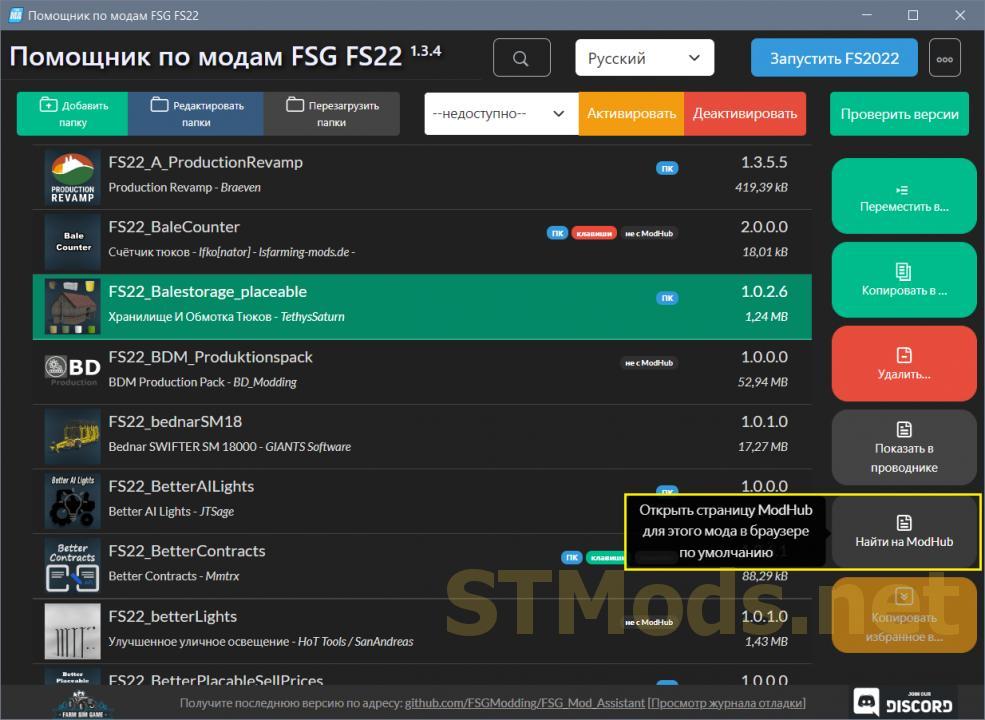
To activate the "Show in Explorer" and "Find on ModHub" buttons when multiple mods/scripts are selected in the list — Alt+Click on the mod/script line (see fig. 2).
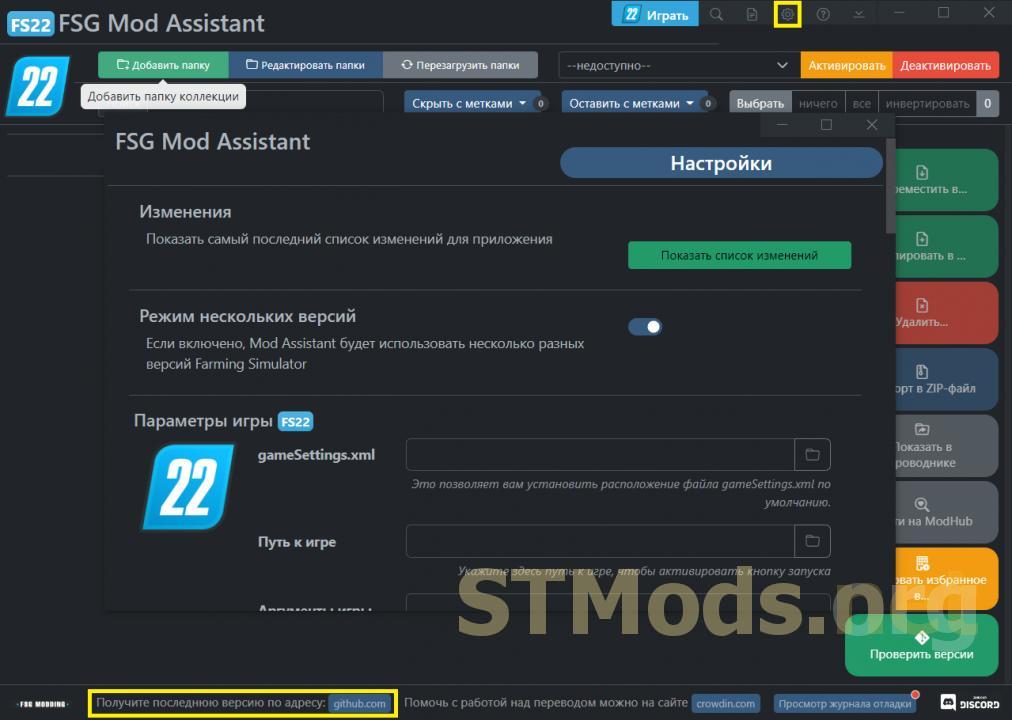
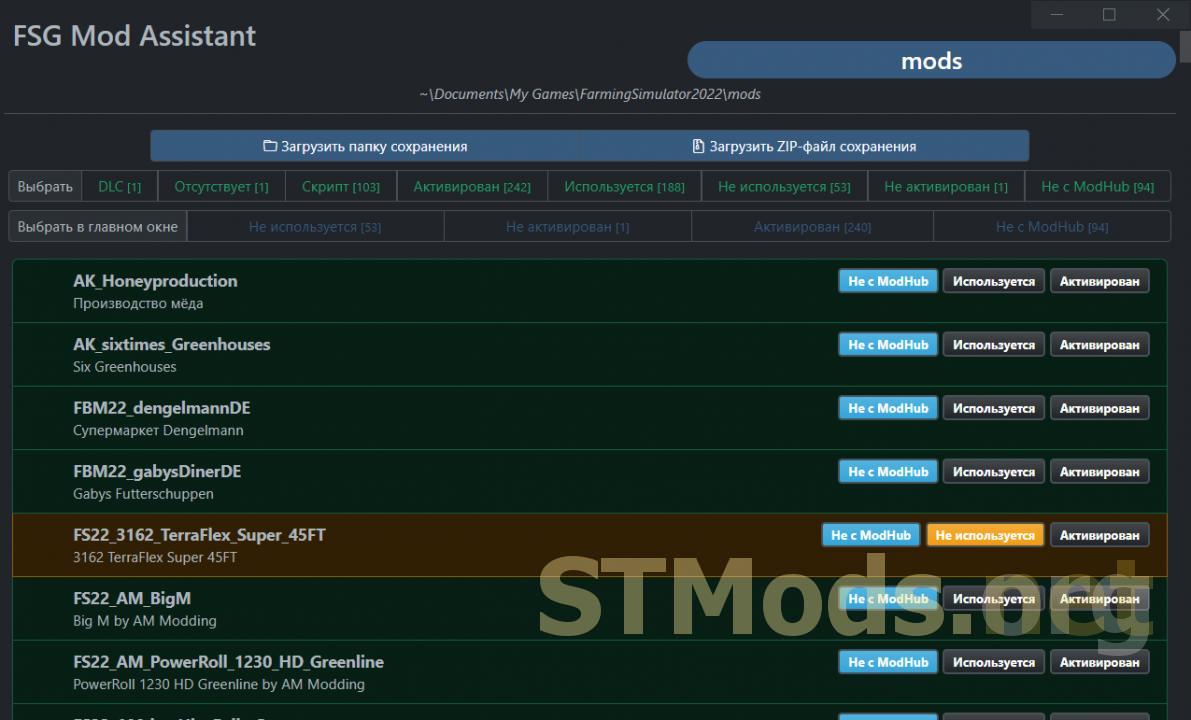
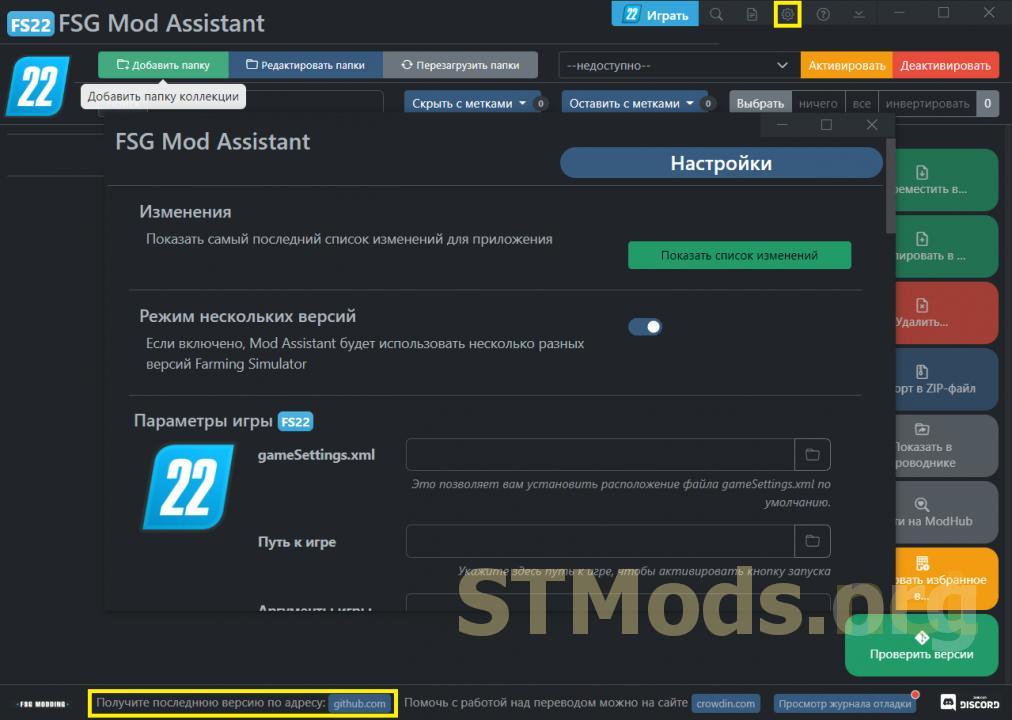
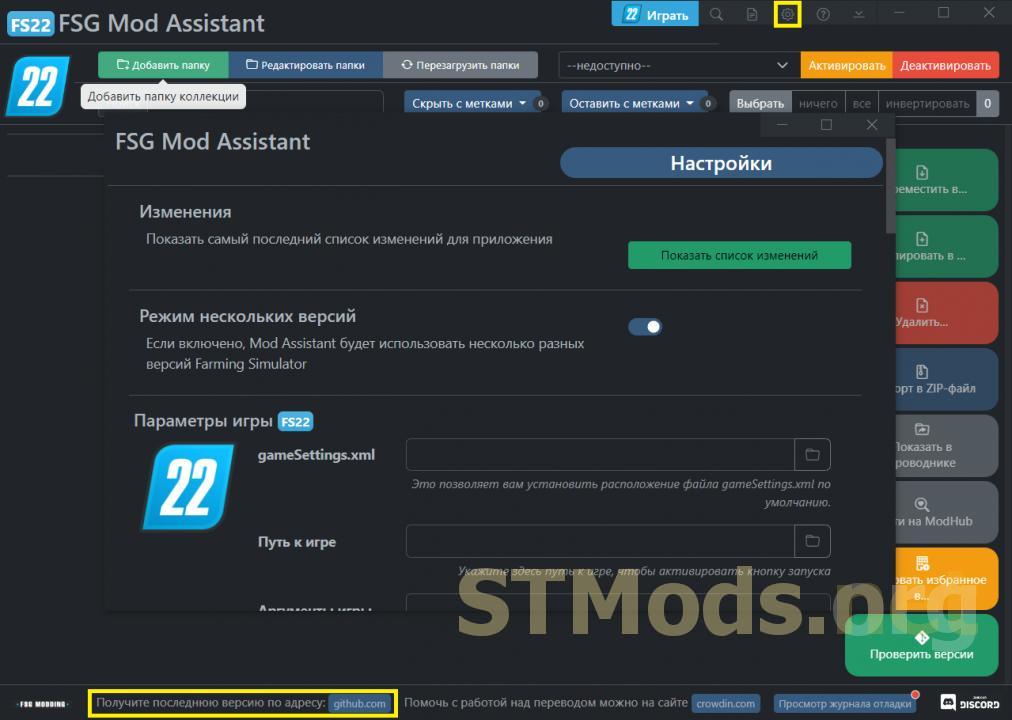
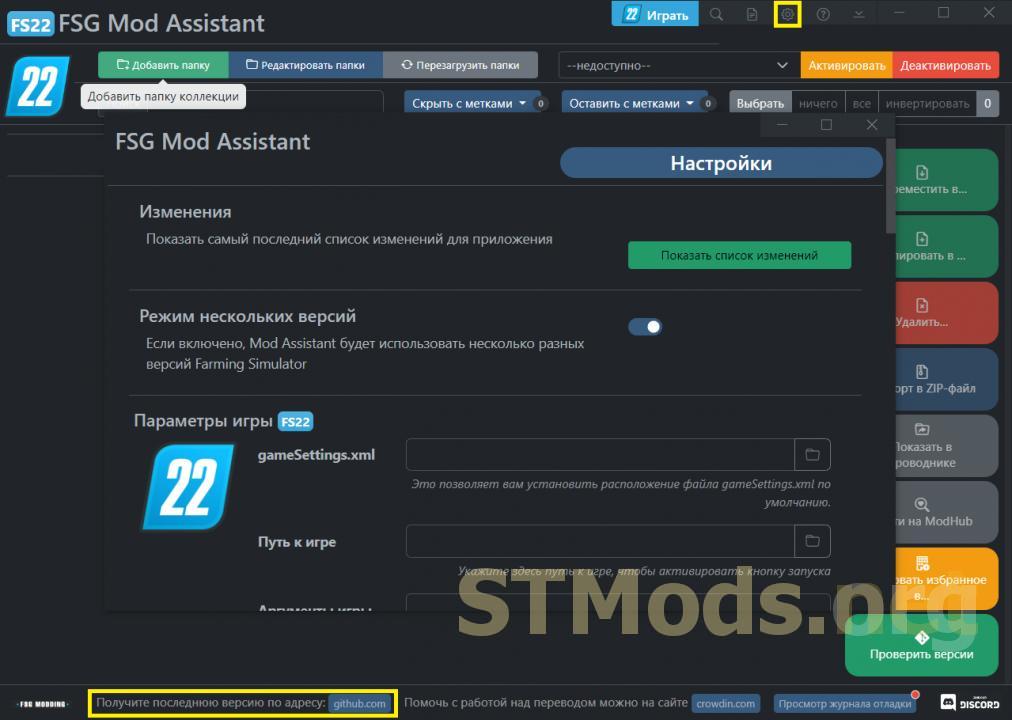
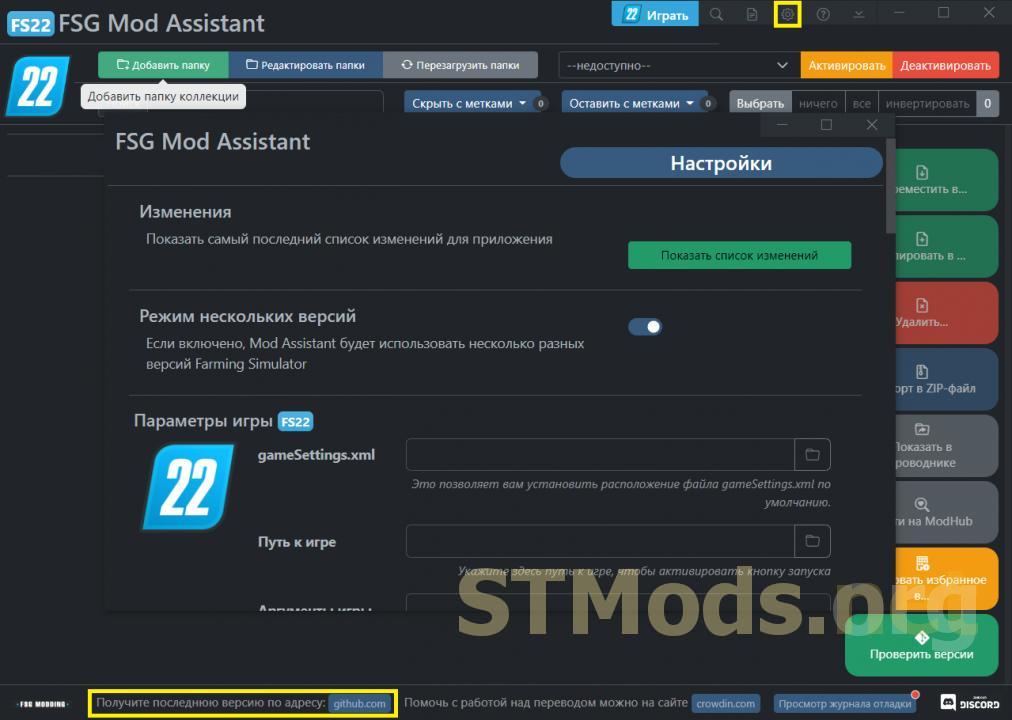
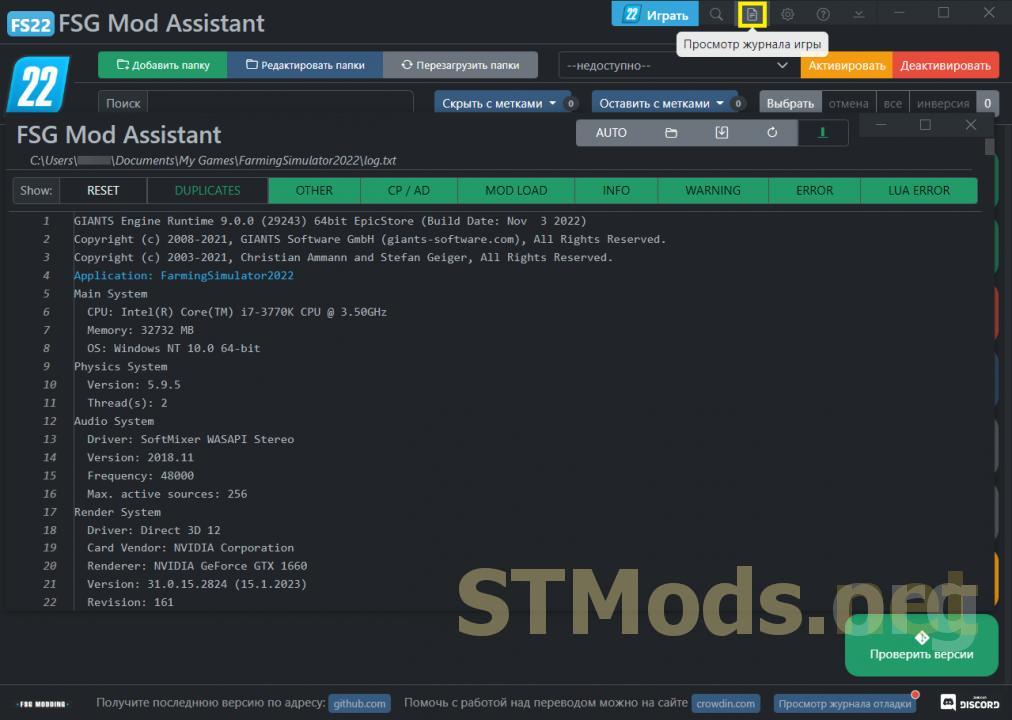
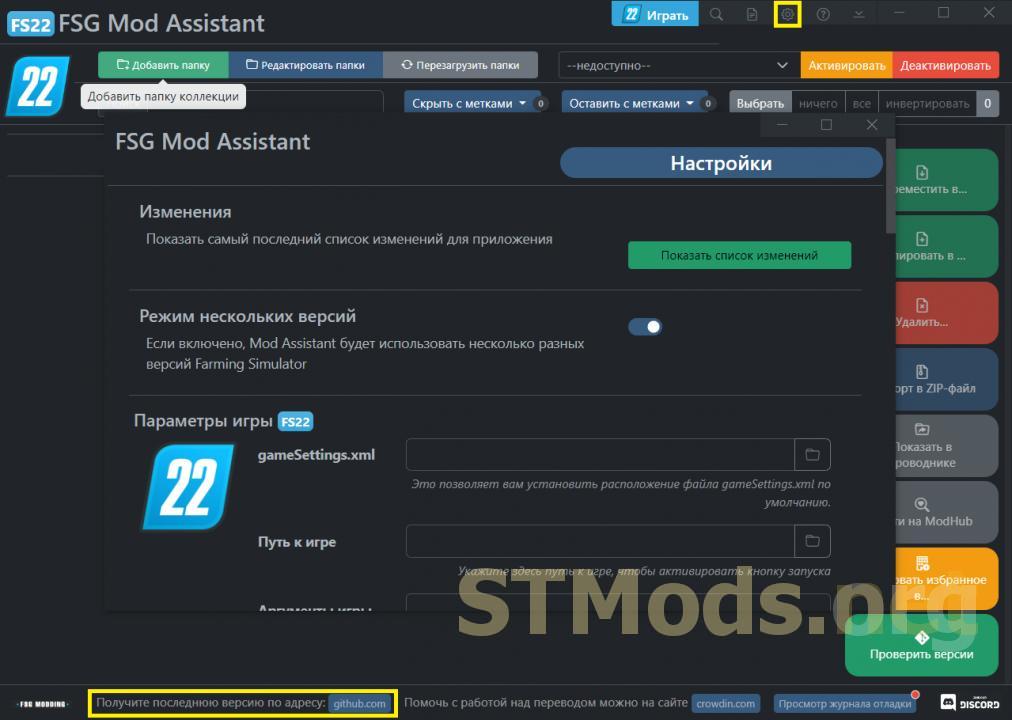
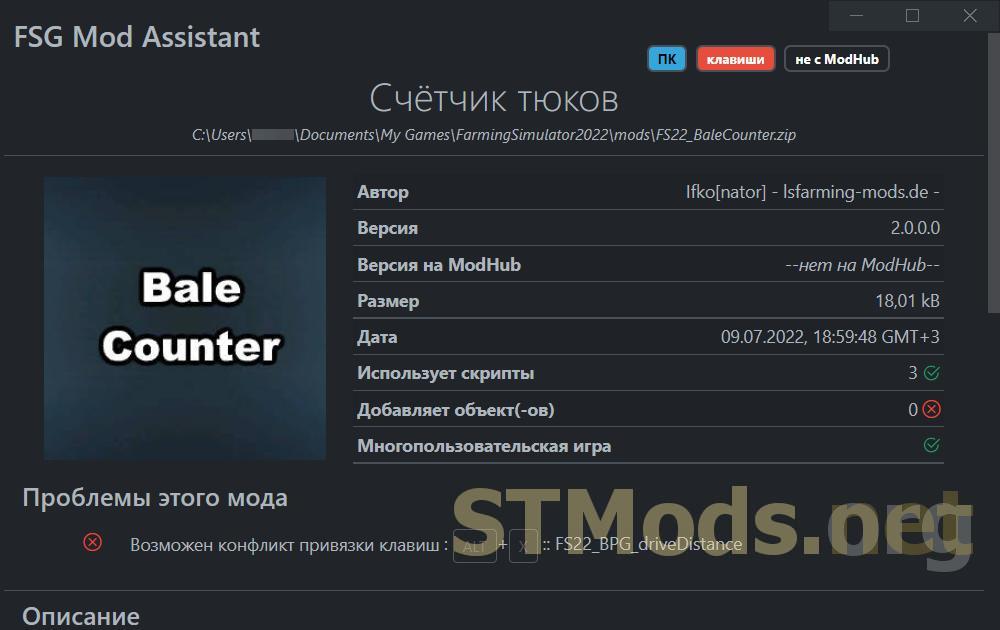
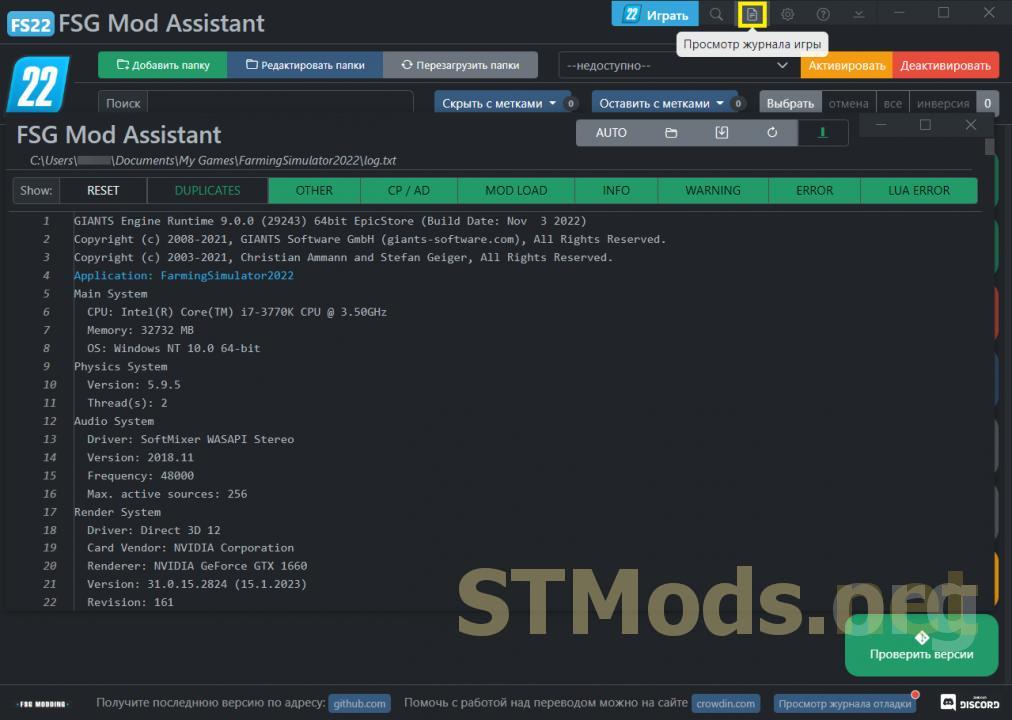
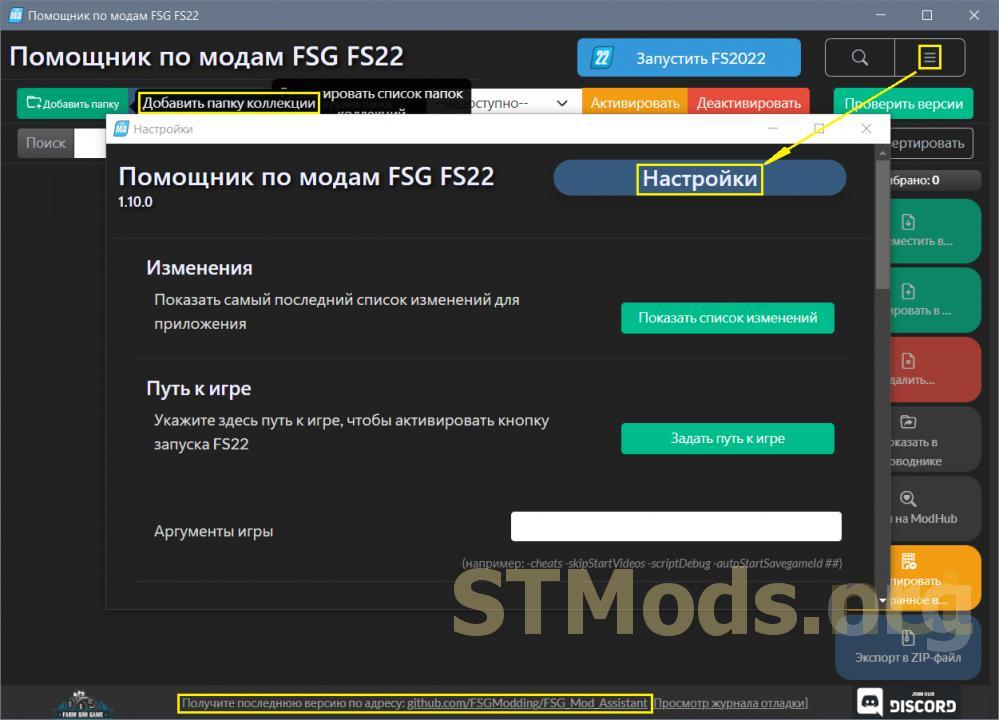
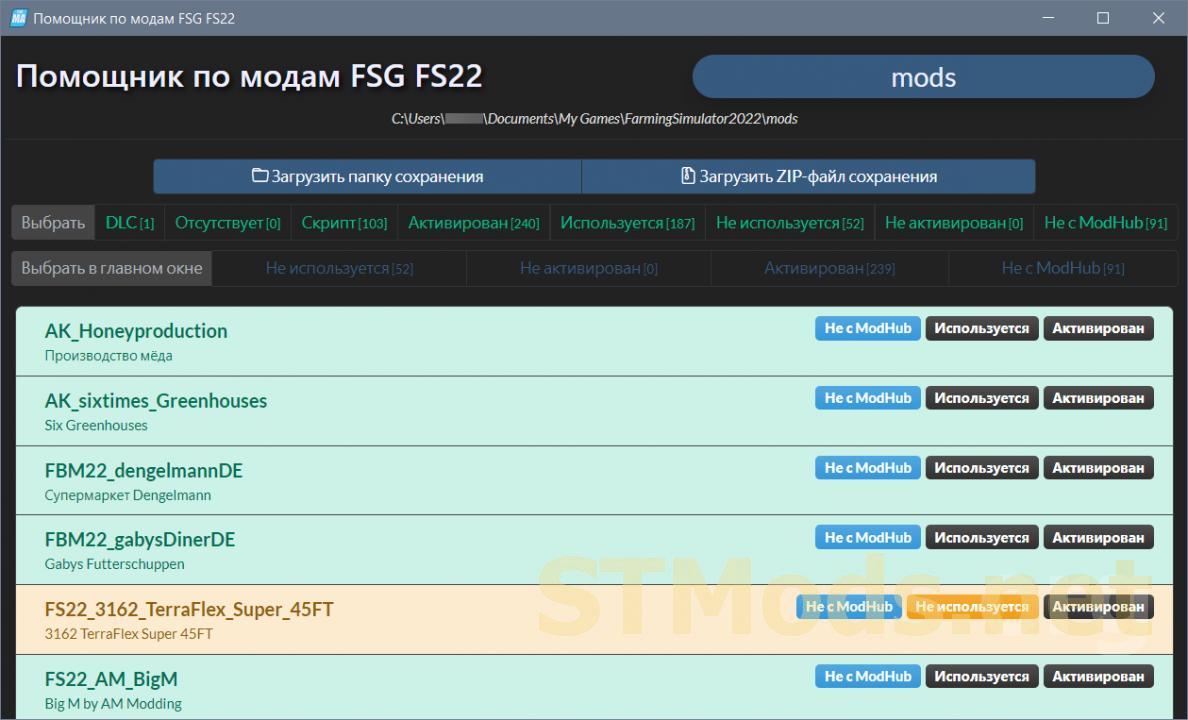
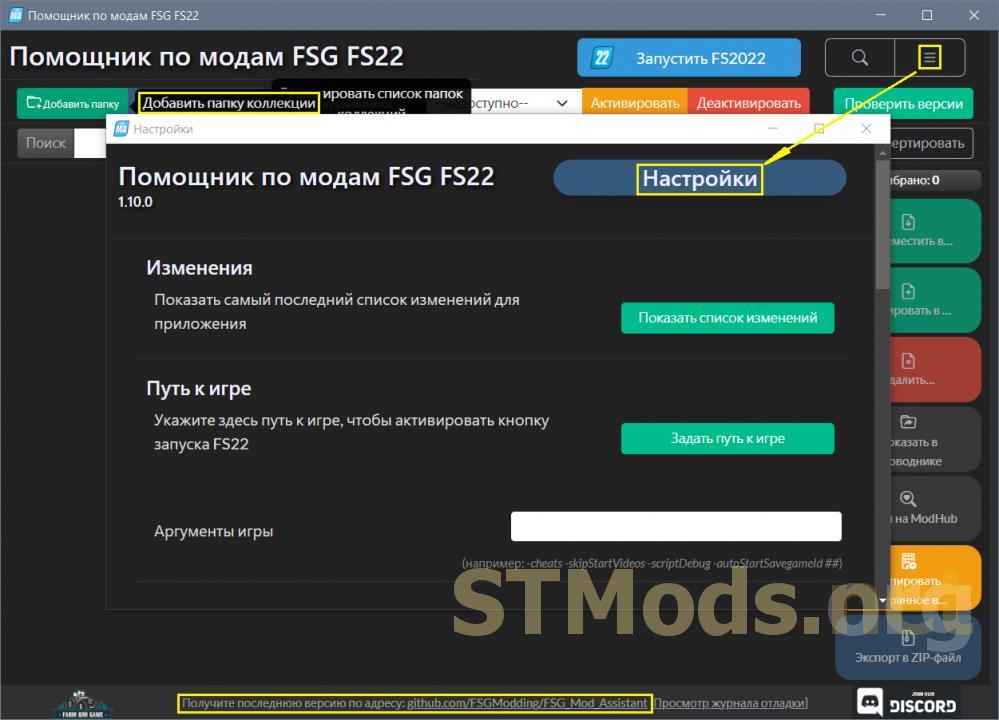
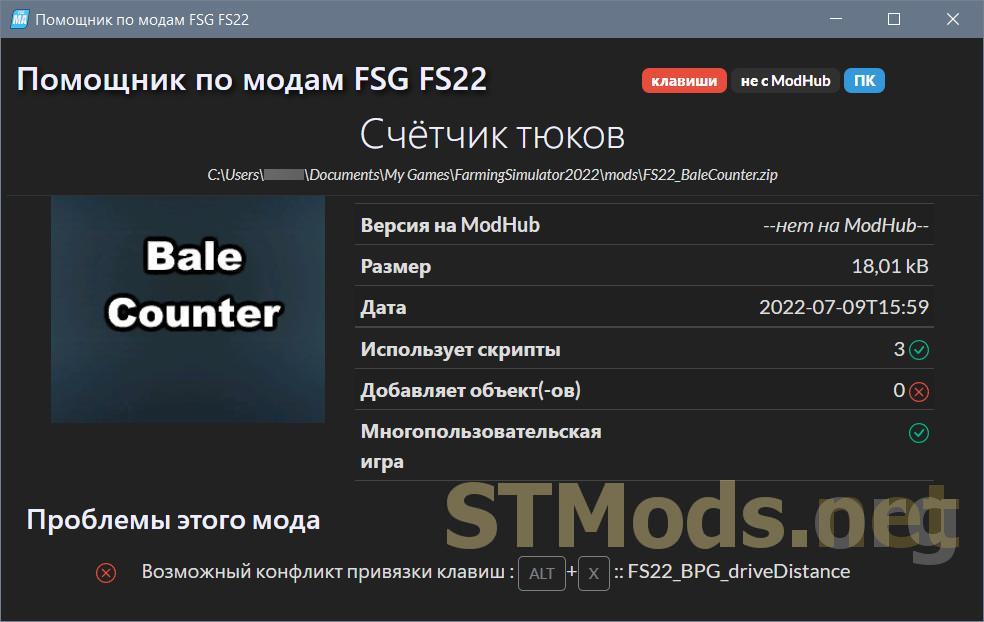
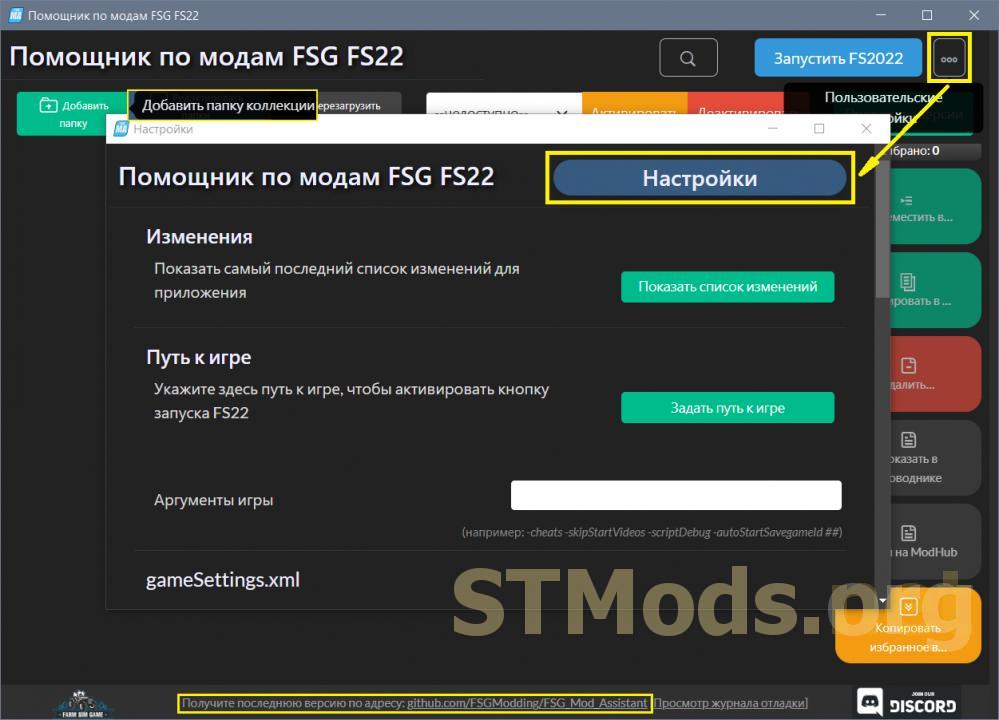
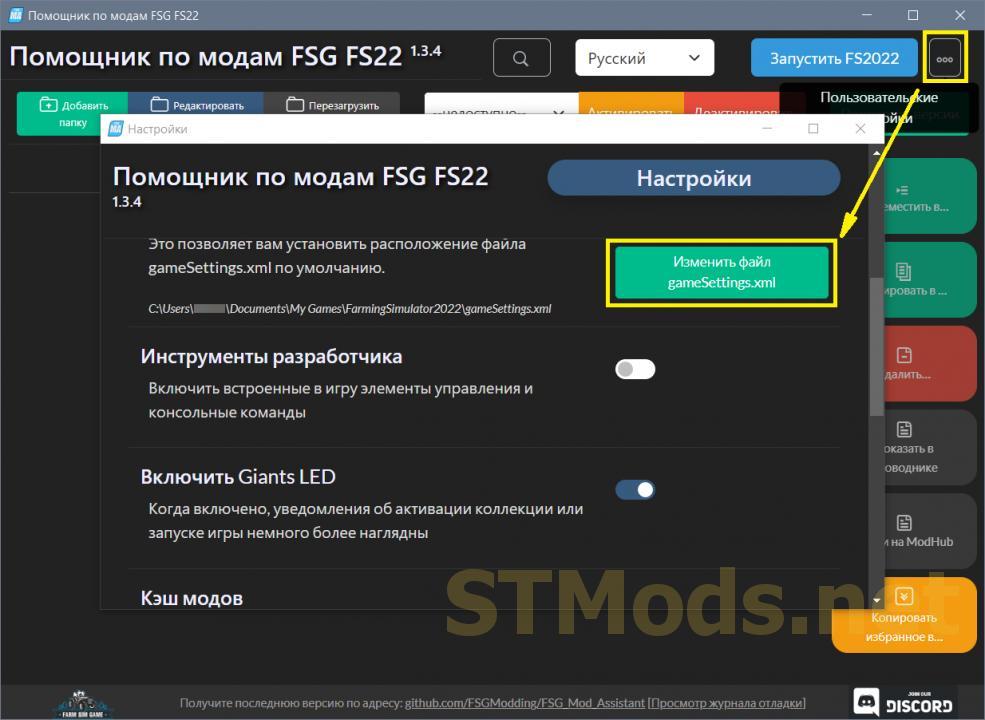
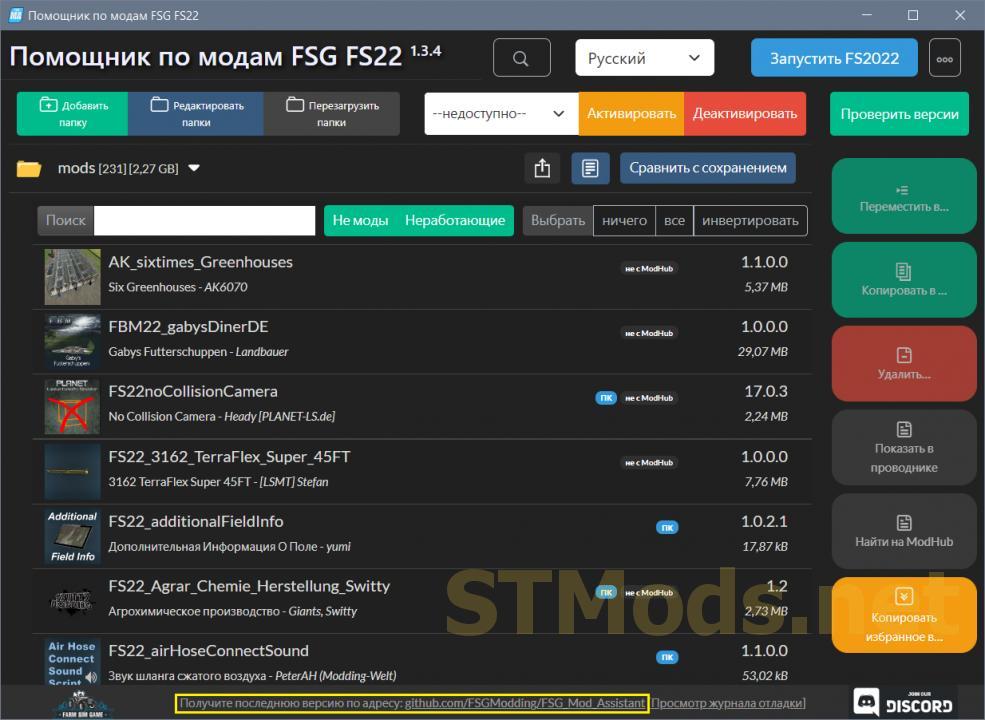
The archive contains a portable (no installation required, runs from any location) version of the program. For more convenient use, extract it from the archive. Uploaded to inform visitors of stmods.org. You can download the desktop version and updates for the portable version at the address shown at the bottom of the program’s main window (see fig. 1). Feature description of FSG Mod Assistant.
Version 3.2.0:
- Color code collection icon (user-configurable);
- DEPEND and REQUIRE mod flags now provide more information, as well as an additional informational menu accessible via right-click;
- Better management of the stream parser model, moving all large files (200 MB+) to the first stream for improved memory management;
- Handling of off-screen windows when changing display settings (returning to the primary screen if invalid);
- Added a visible indicator for offline collections;
- User prompt to handle missing collection folder (mark offline, locate on disk, remove from tracking);
- Added Discord Rich presence indicator;
- Minor optimization of the "Find All" search window.
Rules for writing comments. For non-compliance - ban!
Forbidden:- Use of profanity in messages
- Communication is not on the topic of the material
- Any insults of other users, including the author of the material
- Writing messages in whole or in part in CAPITAL letters (Caps Lock)
- Expressing your opinion without supporting it with arguments
- The use of links to third-party sites, or the use of images/videos/other content containing the aforementioned links
Rules for writing reviews
The review must necessarily be about a specific material (not about the uploader, not about the author and all his works in general)
Forbidden:- Use of profanity (mat)
- Writing a review in whole or in part in CAPITAL letters (Caps Lock)
- Expressing your opinion without supporting it with arguments
- The use of links to third-party sites, or the use of images/videos/other content containing the aforementioned links
There are no reviews yet. Be the first!
Log in to your account to add a review

Version 3.1.0:
A manager for mods, scripts, and the folders where they are located for all games in the Farming Simulator series.
- Check mods to ensure they (likely) work in the game;
- Compare the collection with the saved game to see what is used and what is not;
- Resolve differences in mod versions between collections.
To activate the "Show in Explorer" and "Find on ModHub" buttons when multiple mods/scripts are selected in the list — Alt+Click on the mod/script line (see fig. 2).
The archive contains a portable (no installation required, runs from any location) version of the program. For more convenient use, extract it from the archive. Uploaded to inform visitors of stmods.org. You can download the desktop version and updates for the portable version at the address shown at the bottom of the program’s main window (see fig. 1). Feature description of FSG Mod Assistant.
Changes:
- Automatic translation of new lines for l10n entries;
- Fixed harvest calendars;
- Intercepted icon structure that is not an array;
- Fixed window minimization: most child windows should not be real child windows;
- Added color coding to the mod info window;
- Added map overview image to mod maps (details window);
- Fixed game save detection logic on right-click;
- Detection of log files in collections, allowing direct opening in the log viewer;
- Rewritten mod cache module, added scaling of dds files where possible;
- Fixed server loading status display;
- Added "Clear Log" button to the log viewer;
- Added local save manager with ZIP import;
- Added ability to import ZIP package directly (drag and drop);
- Fixed ZIP export to allow folders;
- Added unit configuration for each collection (miles/temperature/acres/money).


from ModsFire Download (73,8 MB)
from ShareMods

Version 3.0.0:
A manager for mods, scripts, and the folders where they are located for all games in the Farming Simulator series.
- Check mods to ensure they (likely) work in the game;
- Compare the collection with the saved game to see what is used and what is not;
- Resolve differences in mod versions between collections.
To activate the "Show in Explorer" and "Find on ModHub" buttons when multiple mods/scripts are selected in the list — Alt+Click on the mod/script line (see fig. 2).
The archive contains a portable (no installation required, runs from any location) version of the program. For more convenient use, extract it from the archive. Uploaded to inform visitors of stmods.org. You can download the desktop version and updates for the portable version at the address shown at the bottom of the program’s main window (see fig. 1). Feature description of FSG Mod Assistant.
Changes:
- The mod analyzer is now multithreaded;
- The mod details viewer is now multithreaded;
- Improved mod tag calculation;
- Added CTRL + Space shortcut to launch the game;
- Fixed support for viewing game logs in large files;
- Various other fixes.


from ModsFire Download (72,1 MB)
from ShareMods

Version 2.8.2 for Farming Simulator 2022 (v1.10x):
A manager for mods, scripts, and the folders where they are located for all games in the Farming Simulator series.
- Check mods to ensure they (likely) work in the game;
- Compare the collection with the saved game to see what is used and what is not;
- Resolve differences in mod versions between collections.
To activate the "Show in Explorer" and "Find on ModHub" buttons when multiple mods/scripts are selected in the list — Alt+Click on the mod/script line (see fig. 2).
The archive contains a portable (no installation required, runs from any location) version of the program. For more convenient use, extract it from the archive. Uploaded to inform visitors of stmods.org. You can download the desktop version and updates for the portable version at the address shown at the bottom of the main program window (see fig. 1). Feature description of FSG Mod Assistant.
Changes:
- Fixed the indicator; the updated indicator was non-functional (made version 2.8.0 unstable);
- Fixed the chance of the mod info window crashing.


from ModsFire Download (82,2 MB)
from ShareMods

Version 2.6.1 for Farming Simulator 2022 (v1.10x):
A manager for mods, scripts, and the folders where they are located for all games in the Farming Simulator series.
- Check mods to ensure they (likely) work in the game;
- Compare the collection with the saved game to see what is used and what is not;
- Resolve version differences of mods between collections.
To activate the "Show in Explorer" and "Find on ModHub" buttons when multiple mods/scripts are selected in the list — Alt+Click on the mod/script line (see fig. 2).
The archive contains a portable (no installation required, runs from any location) version of the program. For more convenient use, extract it from the archive. Uploaded to inform visitors of stmods.org. You can download the desktop version and updates for the portable version at the address shown at the bottom of the program’s main window (see fig. 1). Function description of FSG Mod Assistant.
Changes:
- Fixed the issue with mod icons.


from ModsFire Download (81,8 MB)
from ShareMods
Version 2.2.5 for Farming Simulator 2022 (v1.9x):
Manager of mods, scripts and folders in which they are located.
- Check mods to make sure they (probably) work in the game;
- Compare the collection with a saved game to see what is used and what is not;
- Eliminate mod version differences between collections.
To activate the "Show in Explorer" and "Find on ModHub" buttons, with several mods/scripts selected in the list, Alt+Click in the mod/script line (see Fig. 2).
Changes:
- Correction of several bugs found in version 2.2.4.
from ModsFire Download (75 MB)
from ShareMods
Version 2.2.4 for Farming Simulator 2022 (v1.9x):
Manager of mods, scripts and folders in which they are located.
- Check mods to make sure they (probably) work in the game;
- Compare the collection with a saved game to see what is used and what is not;
- Eliminate mod version differences between collections.
To activate the "Show in Explorer" and "Find on ModHub" buttons, with several mods/scripts selected in the list, Alt+Click in the mod/script line (see Fig. 2).
Changes:
- Fixes and improvements.
from ModsFire Download
from ShareMods
Version 2.2.1 for Farming Simulator 2022 (v1.9x):
Manager of mods, scripts and folders in which they are located.
- Check mods to make sure they (probably) work in the game;
- Compare the collection with a saved game to see what is used and what is not;
- Eliminate mod version differences between collections.
To activate the "Show in Explorer" and "Find on ModHub" buttons, with several mods/scripts selected in the list, Alt+Click in the mod/script line (see Fig. 2).
Changes:
- Fixed errors found in version 2.2.0.
from ModsFire Download (74,8 MB)
from ShareMods
Version 2.1.4 for Farming Simulator 2022 (v1.9x):
Manager of mods, scripts and folders in which they are located.
- Check mods to make sure they (probably) work in the game;
- Compare the collection with a saved game to see what is used and what is not;
- Eliminate mod version differences between collections.
To activate the "Show in Explorer" and "Find on ModHub" buttons, with several mods/scripts selected in the list, Alt+Click in the mod/script line (see Fig. 2).
Changes:
- Added button "External site of the top level";
- Customize the version comparison screen.
from ModsFire Download (73,4 MB)
from ShareMods
Version 2.1.3 for Farming Simulator 2022 (v1.9x):
Manager of mods, scripts and folders in which they are located.
- Check mods to make sure they (probably) work in the game;
- Compare the collection with a saved game to see what is used and what is not;
- Eliminate mod version differences between collections.
To activate the "Show in Explorer" and "Find on ModHub" buttons, with several mods/scripts selected in the list, Alt+Click in the mod/script line (see Fig. 2).
Changes:
- Current version.
from ModsFire Download (73,3 MB)
from ShareMods
Version 2.1.2 for Farming Simulator 2022 (v1.8.2.0):
Manager of mods, scripts and folders in which they are located.
- Check mods to make sure they (probably) work in the game;
- Compare the collection with a saved game to see what is used and what is not;
- Eliminate mod version differences between collections.
To activate the "Show in Explorer" and "Find on ModHub" buttons, with several mods/scripts selected in the list, Alt+Click in the mod/script line (see Fig. 2).
Changes:
- Added ability to add info/download link for each mod (right click menu).
from ModsFire Download (73,5 MB)
from ShareMods
Version 2.1.1 for Farming Simulator 2022 (v1.8.2.0):
Manager of mods, scripts and folders in which they are located.
- Check mods to make sure they (probably) work in the game;
- Compare the collection with a saved game to see what is used and what is not;
- Eliminate mod version differences between collections.
To activate the "Show in Explorer" and "Find on ModHub" buttons, with several mods/scripts selected in the list, Alt+Click in the mod/script line (see Fig. 2).
Changes:
- Fixed some bugs.
from ModsFire Download (73,5 MB)
from ShareMods
Version 1.10.2 for Farming Simulator 2022 (v1.8.2.1):
Manager of mods, scripts and folders in which they are located.
- Check mods to make sure they (probably) work in the game;
- Compare the collection with a saved game to see what is used and what is not;
- Eliminate mod version differences between collections.
To activate the "Show in Explorer" and "Find on ModHub" buttons, with several mods/scripts selected in the list, Alt+Click in the mod/script line (see Fig. 2).
Changes:
- Fixed scrollbar (sometimes was inactive);
- Added some additional information for developers.
from ModsFire Download (61,9 MB)
from ShareMods
Version 1.10.1 for Farming Simulator 2022 (v1.8.2.1):
Manager of mods, scripts and folders in which they are located.
- Check mods to make sure they (probably) work in the game;
- Compare the collection with a saved game to see what is used and what is not;
- Eliminate mod version differences between collections.
To activate the "Show in Explorer" and "Find on ModHub" buttons, with several mods/scripts selected in the list, Alt+Click in the mod/script line (see Fig. 2).
Changes:
- The filter panel has been redesigned to include the number of selected mods;
- Significantly improved the scrollbar in the main window, includes the location of the selected mods;
- Popup dialog box when the selected collection in the game and in FSModAssistant do not match.
from ModsFire Download (61,9 MB)
from ShareMods
Version 1.10.0 for Farming Simulator 2022 (v1.8.2.1):
Manager of mods, scripts and folders in which they are located.
- Check mods to make sure they (probably) work in the game;
- Compare the collection with a saved game to see what is used and what is not;
- Eliminate mod version differences between collections.
To activate the "Show in Explorer" and "Find on ModHub" buttons, with several mods/scripts selected in the list, Alt+Click in the mod/script line (see Fig. 2).
Changes:
- New filtering interface;
- Some fixes.
from ModsFire Download (61,9 MB)
from ShareMods
Version 1.9.2 for Farming Simulator 2022 (v1.8x):
Manager of mods, scripts and folders in which they are located.
- Check mods to make sure they (probably) work in the game;
- Compare the collection with a saved game to see what is used and what is not;
- Eliminate mod version differences between collections.
To activate the "Show in Explorer" and "Find on ModHub" buttons, with several mods/scripts selected in the list, Alt+Click in the mod/script line (see Fig. 2).
Changes:
- Fixed bugs.
from ModsFire Download (61,7 MB)
from ShareMods
Version 1.9.0 for Farming Simulator 2022 (v1.8.2.0):
Manager of mods, scripts and folders in which they are located.
- Check mods to make sure they (probably) work in the game;
- Compare the collection with a saved game to see what is used and what is not;
- Eliminate mod version differences between collections.
To activate the "Show in Explorer" and "Find on ModHub" buttons, with several mods/scripts selected in the list, Alt+Click in the mod/script line (see Fig. 2).
Changes:
- Added: option to export to ZIP file;
- Added: button to copy web admin password for each collection;
- Fixed: visual updates of the main interface;
- Fixed: readable dates on details page;
- Updated: DDS libraries refactoring;
- Update: Changed icon library to bootstrap-icons.
from ShareMods Download (61,9 MB)
from ModsFire
Version 1.8.0 for Farming Simulator 2022 (v1.8x):
Manager of mods, scripts and folders in which they are located.
- Check mods to make sure they (probably) work in the game;
- Compare the collection with a saved game to see what is used and what is not;
- Eliminate mod version differences between collections.
To activate the "Show in Explorer" and "Find on ModHub" buttons, with several mods/scripts selected in the list, Alt+Click in the mod/script line (see Fig. 2).
Changes:
- Added Portuguese translation;
- Minor improvements.
from ModsFire Download (61,4 MB)
from ShareMods
Version 1.7.1 for Farming Simulator 2022 (v1.8.2.0):
Manager of mods, scripts and folders in which they are located.
- Check mods to make sure they (probably) work in the game;
- Compare the collection with a saved game to see what is used and what is not;
- Eliminate mod version differences between collections.
To activate the "Show in Explorer" and "Find on ModHub" buttons, with several mods/scripts selected in the list, Alt+Click in the mod/script line (see Fig. 2).
Changes:
- Fixed autoUpdater;
- FIXED: Counting all mods in all folders before test scan;
- ADDED: Tag line/description for each collection;
- ADDED: Scroll bar in main window (customizable).
from ModsFire Download (60,1 MB)
from ShareMods
Version 1.3.4 for Farming Simulator 2022 (v1.8.2.0):
Manager of mods, scripts and folders in which they are located.
- Check mods to make sure they (probably) work in the game;
- Compare the collection with a saved game to see what is used and what is not;
- Eliminate mod version differences between collections.
To activate the "Show in Explorer" and "Find on ModHub" buttons, with several mods/scripts selected in the list, Alt+Click in the mod/script line (see Fig. 2).
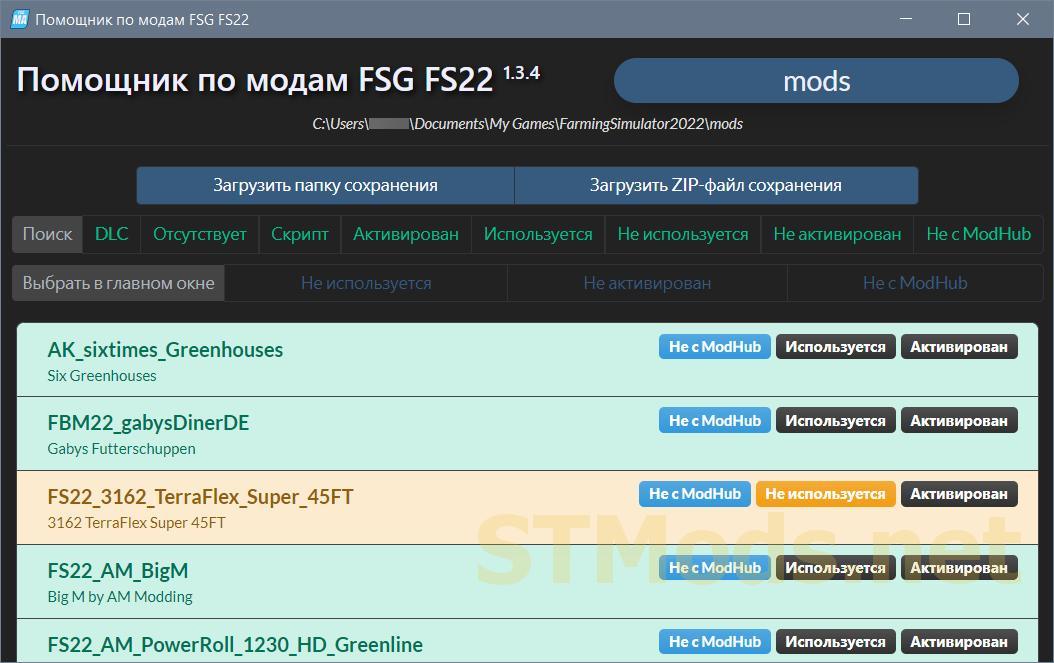
from ShareMods Download (60,1 MB)
from ModsFire

 Spintires: MudRunner
 SnowRunner
 Euro Truck Simulator 2
 American Truck Simulator
 Farming Simulator 2017
 Farming Simulator 2019
 Farming Simulator 2022
 BeamNG.drive
 City Car Driving
 Farming Simulator 20
 OMSI 2
 Assetto Corsa
 MXB
MXB
