SnowRunner Update 10
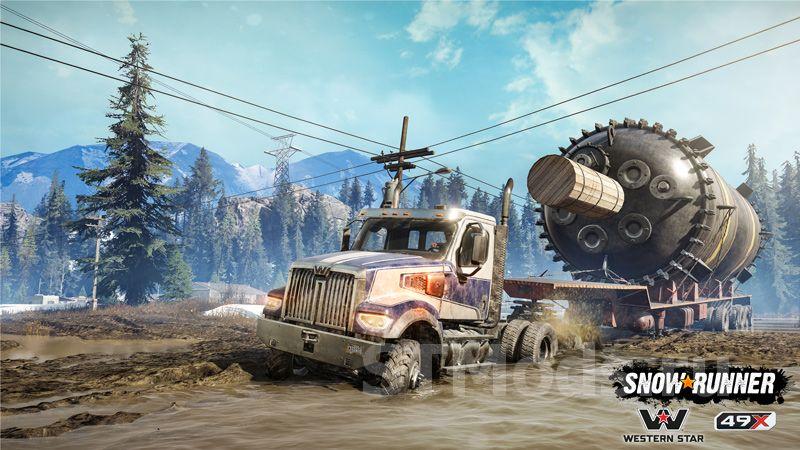
The largest update in the history of SnowRunner has been released – Update 10. This update touched many aspects of the game and added new content. Modders are recommended to repack their mods to ensure compatibility with the new update. This can be done using the new tools that were also added with Update 10.
Main Content
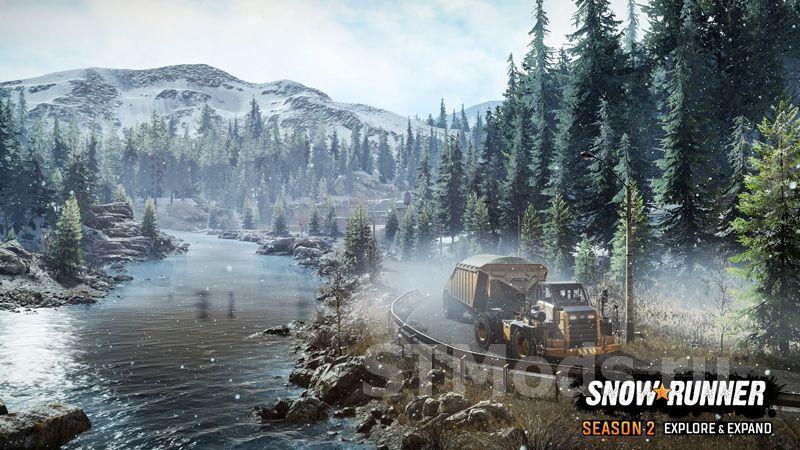
- New region – Yukon. The region consists of two new maps. A beautiful new area to explore and complete various tasks.
- New vehicles added: CAT TH357D, CAT 770G, KRS 58 “Bandit.”
- New exclusive skins for the following vehicles: International Scout 800, International Loadstar 1700.
- New missions added to the standard maps. New quests are available in Alaska and Taimyr.
- New challenges added. There are 2 in total.
- New customization options available.
General Changes
- Vehicles can now be secured on trailers specifically designed for transporting vehicles.
- New sounds can now be heard when activating ramps.
- Fixed an issue where, in certain situations, after selling the Caterpillar 745C, the vehicle could no longer be purchased. This has been corrected.
- The ANK MK 38 horn has been redesigned.
- Fixed a bug with cranes’ extendable supports.
- Adjusted the center of gravity for the Azov 64131.
- Destination activation zones now display correctly in the game.
- Fixed a bug where players did not receive rewards for completing challenges under certain conditions.
Maps
- “Imandra” map: collision added for Tuloma and Kandra Battery Cannon.
- “Imandra” map: the fence near the airfield now appears on the minimap.
- Fixed an error where the quest icons for “Swamps” and “Zimnegorsk” were swapped.
Mods
- A special mod browser has been added to the game.
- A regional mod plugin has also been added to the game.
- Custom maps can now be played cooperatively with friends.
- A refund system has been added for purchases if a mod is removed from mod.io.
- Localization support has been added.
- The developer menu no longer launches in custom scenarios upon restarting.
- Modders can now choose whether the developer menu is enabled or not.
- Various fixes.
Interface
- The mouse cursor no longer gets stuck when restarting a mission.
- A warning now appears if the player is close to failing one of the competition conditions.
- The challenges menu can now be found in the main game menu.
- Under certain conditions, the mouse cursor could lag or jitter heavily on the minimap. This has been fixed.
- After restarting the “Star in the Sky” mission, quest item markers no longer remain on the screen.
- In the “Star in the Sky” mission, after using the metal detector, the yellow cargo marker now appears correctly.
Co-op
- Weather conditions now synchronize properly in co-op mode.
- After exiting a co-op game, users could not create their own co-op session until restarting the game. This bug has been fixed.
Settings
- The driver model can now be disabled in the settings.
- Maximum FPS can now be selected.
- The target monitor now saves correctly after restarting the game.
- KSIVA can now be toggled on and off.
- Motion blur can now be enabled or disabled.
Rendering
- Improved appearance of waves created when a vehicle drives through water.
- Improved textures of wheel tracks on ice.
- Trees now have improved reflections in water.
- Improved textures of the surface between water and mud on some maps.
Steering Wheels
- Improved G923 True Force Feedback support for all platforms.
- Added support for configuring haptic feedback effects for the G923.
- Brake pedal pressure can now be calibrated.
- Fanatec steering wheels now work on consoles.
Consoles
- New graphics settings have been added for consoles.
Added: admin
3 April 2022 at 12:00
Write the reason for your dislike:
If you do not explain the reason, but write an unintelligible text, you will be deprived of the opportunity to evaluate the mods, news and articles.
Cancel
5.7K
Read more
Comments
Rules for writing comments. For non-compliance - ban!
Forbidden:- Use of profanity in messages
- Communication is not on the topic of the material
- Any insults of other users, including the author of the material
- Writing messages in whole or in part in CAPITAL letters (Caps Lock)
- Expressing your opinion without supporting it with arguments
- The use of links to third-party sites, or the use of images/videos/other content containing the aforementioned links
The most popular mods

 Spintires: MudRunner
 SnowRunner
 Euro Truck Simulator 2
 American Truck Simulator
 Farming Simulator 2017
 Farming Simulator 2019
 Farming Simulator 2022
 BeamNG.drive
 City Car Driving
 Farming Simulator 20
 OMSI 2
 Assetto Corsa
 MXB
MXB
by downloads per week
by downloads per month
There are no mods yet
by downloads per week
by downloads per month
There are no mods yet
by downloads per week
by downloads per month
There are no mods yet
by downloads per week
by downloads per month
There are no mods yet
by downloads per week
by downloads per month
There are no mods yet
by downloads per week
by downloads per month
There are no mods yet
by downloads per week
by downloads per month
There are no mods yet
by downloads per week
by downloads per month
There are no mods yet
by downloads per week
by downloads per month
There are no mods yet
by downloads per week
by downloads per month
There are no mods yet
by downloads per week
by downloads per month
There are no mods yet
by downloads per week
by downloads per month
There are no mods yet
by downloads per week
by downloads per month
There are no mods yet
by downloads per week
by downloads per month
There are no mods yet
Go Up