Total files: 44559
|
|
MATERIAL | ||
|
164
96 |
0
0 |
||
28 Sep 2025 at 6:40
China Adventure DLC Pipes Objects version 1.0.0 for SpinTires (v03.03.16)
Cool pipes from the China DLC. There are only three objects in the archive. The files are not separated, they are all together, so you can use them either together (like a constructor) or separately, it all depends on your imagination. I've already taken them for my new map, maybe someone else will find them useful.
Good luck to everyone!
Good luck to everyone!
|
|
MOD UPDATE |
||
|
188
82 |
0
0 |
||
28 Sep 2025 at 6:39
Real Sky version 1.0 for Spintires: MudRunner (v25.02.21)
Realistic sky for the game MudRunner. The archive contains 5 cloud variants.
Installation on a clean game: copy the folders Media, MeshCache, TextureCache, and Config.XML into the game directory, replacing existing files. Config.XML is for those who have no experience editing configs. Everything is already set up there.
Installation for those who have Adega Mod Pack: copy the files from the Media folder into the Adega_mod folder; copy the MeshCache and TextureCache folders into the game directory. Replace files wherever prompted.
Don't forget to back up your files in case you want to revert everything back.
Installation on a clean game: copy the folders Media, MeshCache, TextureCache, and Config.XML into the game directory, replacing existing files. Config.XML is for those who have no experience editing configs. Everything is already set up there.
Installation for those who have Adega Mod Pack: copy the files from the Media folder into the Adega_mod folder; copy the MeshCache and TextureCache folders into the game directory. Replace files wherever prompted.
Don't forget to back up your files in case you want to revert everything back.

|
MOD UPDATE |
||
|
225
68 |
0
0 |
||
28 Sep 2025 at 6:38
Testing Ground 3.0 Map version 24.03.2018 for Spintires: MudRunner (v25.02.21)
A small testing ground for trials and equipment checks. On the map:
- Swamp;
- Sandbox;
- Plains;
- Forest;
- Mountains;
- Rivers;
- Lakes;
- Basin;
- Pool;
- Trenches;
- Bumpy roads;
- Slopes (15°, 25°, 35°, 45°);
- Two loading ramps;
- Road (across the map);
- Many tracks;
- Two sawmills;
- Two garages (one closed);
- Two log kiosks;
- Loading area;
- Fuel station;
- Waypoints;
- E7429;
- S4310;
- C256 (needs repair);
- A469;
- A969;
- B130 (needs repair);
- K700.
- Swamp;
- Sandbox;
- Plains;
- Forest;
- Mountains;
- Rivers;
- Lakes;
- Basin;
- Pool;
- Trenches;
- Bumpy roads;
- Slopes (15°, 25°, 35°, 45°);
- Two loading ramps;
- Road (across the map);
- Many tracks;
- Two sawmills;
- Two garages (one closed);
- Two log kiosks;
- Loading area;
- Fuel station;
- Waypoints;
- E7429;
- S4310;
- C256 (needs repair);
- A469;
- A969;
- B130 (needs repair);
- K700.
|
|
MOD UPDATE |
||
|
131
61 |
0
0 |
||
28 Sep 2025 at 6:37
UMZ-8071 Conversion version 3.0 for Farming Simulator 2017
I present to you a mod for the UMZ-8071; I will say right away that the mod will be further developed. Specifications:
- Power: 60-80 hp;
- Speed: 35 km/h;
- Traction class: 1.4 t;
- Cost: 21300;
The following configurations are available:
- Engine d65/pm80;
- Fenders/air conditioner/all together;
- Wheels standard/wide.
The tractor works with the gearbox mod. I will say right away, the base I took was the UMZ 6kl mod by authors (sasha kmit/Max1985, Tornado, Nickel77, Clondike, XXXni). I am only the author of the remake. Models of UMZ-8040/8240/8271/8244 will follow.
- Power: 60-80 hp;
- Speed: 35 km/h;
- Traction class: 1.4 t;
- Cost: 21300;
The following configurations are available:
- Engine d65/pm80;
- Fenders/air conditioner/all together;
- Wheels standard/wide.
The tractor works with the gearbox mod. I will say right away, the base I took was the UMZ 6kl mod by authors (sasha kmit/Max1985, Tornado, Nickel77, Clondike, XXXni). I am only the author of the remake. Models of UMZ-8040/8240/8271/8244 will follow.
|
|
ARTICLE | ||
|
1.8K
|
0
0 |
||
28 Sep 2025 at 6:36
How to Feed Cows in Farming Simulator 20
Farming Simulator 20 is the mobile version of the popular FS game series. Here, the player has a choice: to engage in farming and crop cultivation, livestock breeding, or something else. However, each process has its own features that you need to know to avoid mistakes. In this guide, we will figure out how to feed cows in FS20. It’s quite simple and done in a few steps.
Buying a trailer and the animals themselves
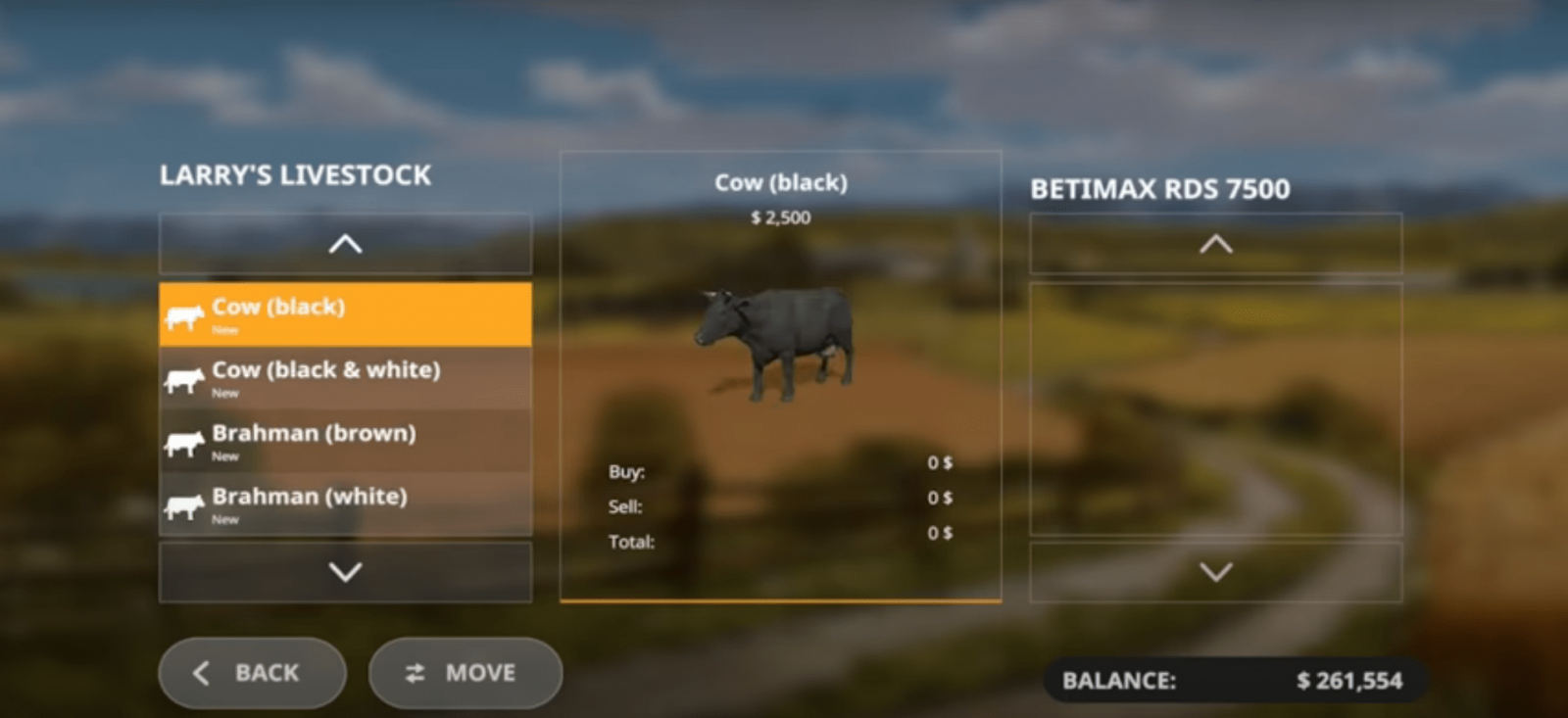
First of all, we need to buy cows. To do this, buy a special trailer for transporting animals, attach this trailer to our tractor, drive to the store where animals are sold (animal dealer, shown on the map). The store has many different cows; the choice is yours. Select the desired cow and the number of cows, then press the "confirm" button. Congratulations, you have bought a cow!
Note! You can transport several animals at once in one trailer. This all directly depends on the type of trailer and its capacity.
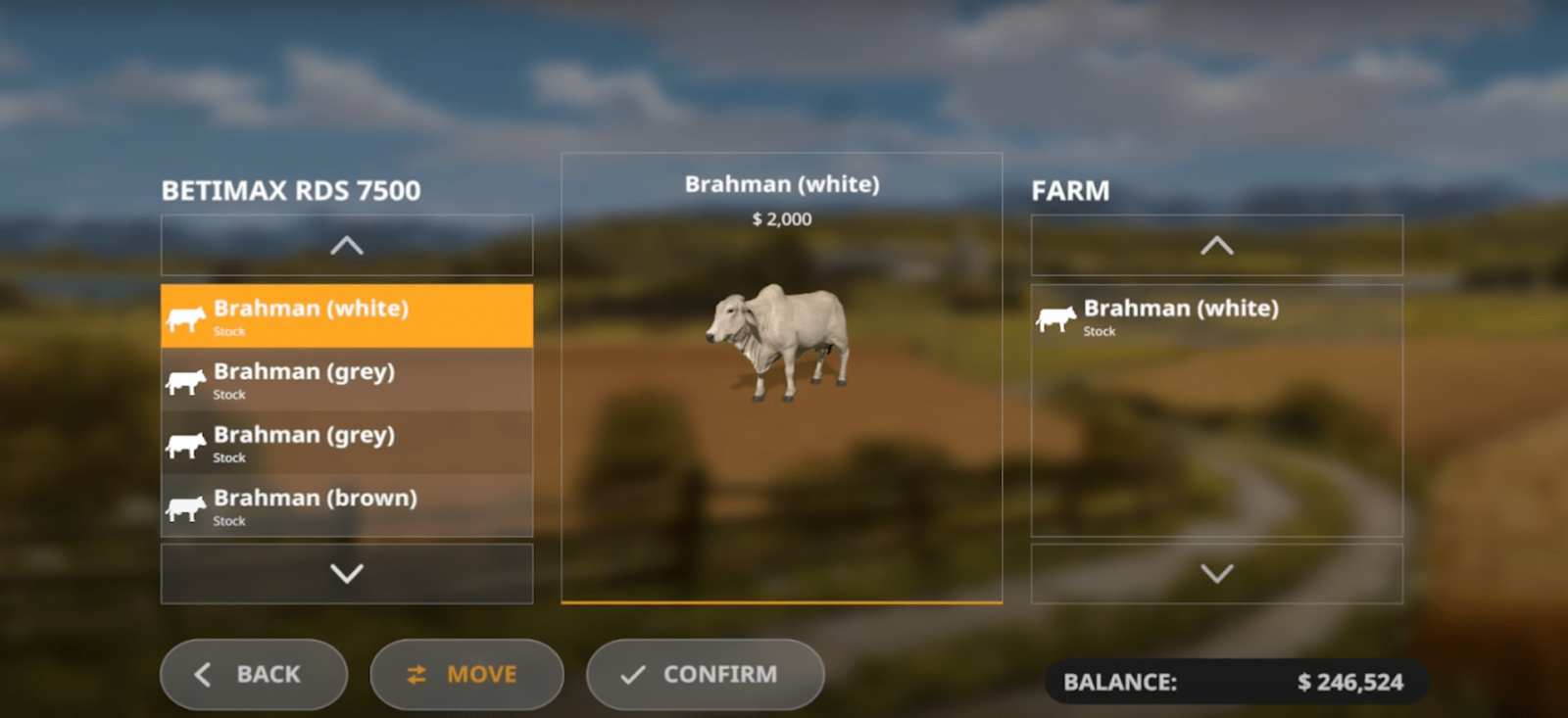
Now make sure the cows are in our trailer, and head to our farm where the cowshed (cow pen) is located. Near your cowshed, there will be an icon. You need to drive up to this icon, and a special menu will open where you can unload the trailer and move the animals into the pen. In the menu, select the animals you want to keep in this cowshed (to do this, press the orange button in the middle, between the "Confirm" and "Back" buttons). That’s it, press "confirm".
After that, your cows will already be in the cowshed.
Animal needs: feed
Your cows (like any other animals) have needs. You need to take care of your animals: feed and water them, and only then will you receive the necessary resources from them: milk, manure.
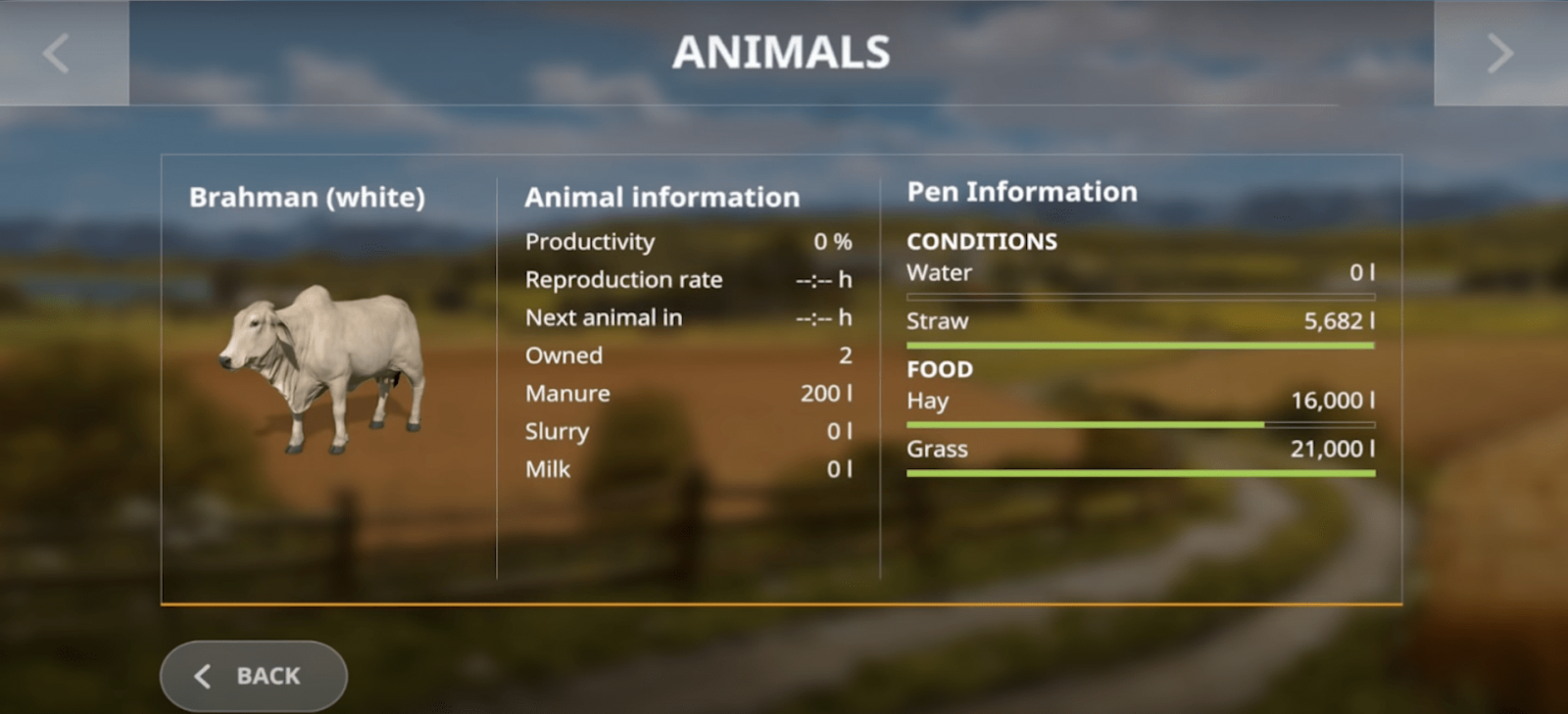
First, go to the animal menu, where all the current animals you own and their needs are displayed. Check this menu every 3-4 minutes to make sure everything is fine with the animals. In the corresponding menu, you will see the type of cow, how long ago you bought this cow, how much milk, manure, and slurry you have received, and productivity in percentage. In the right window, the requirements will be shown.
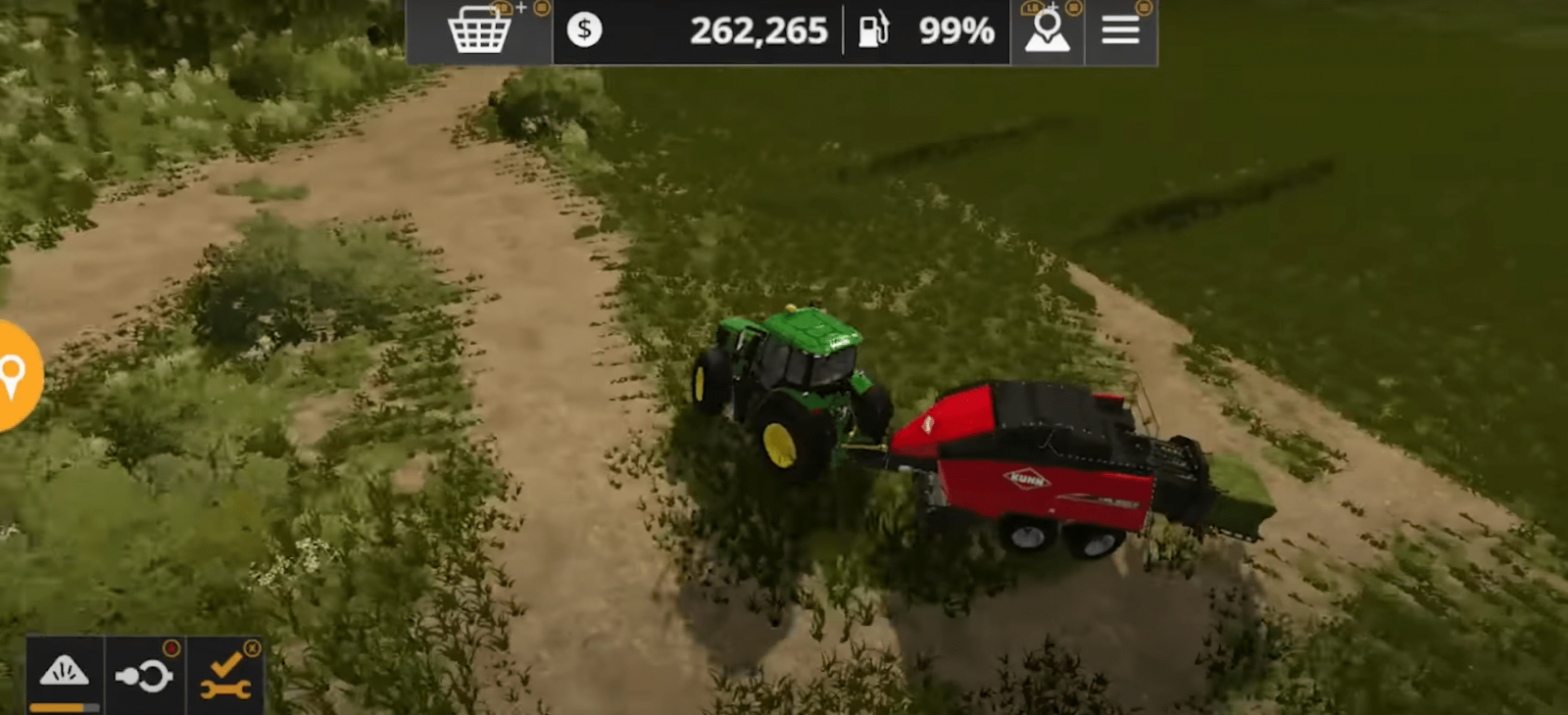
Cows need to be fed grass and hay. Getting grass is simple: first, mow the area where grass grows with a mower, then use a baler, which will collect all this grass (or hay) and turn it into a bale.
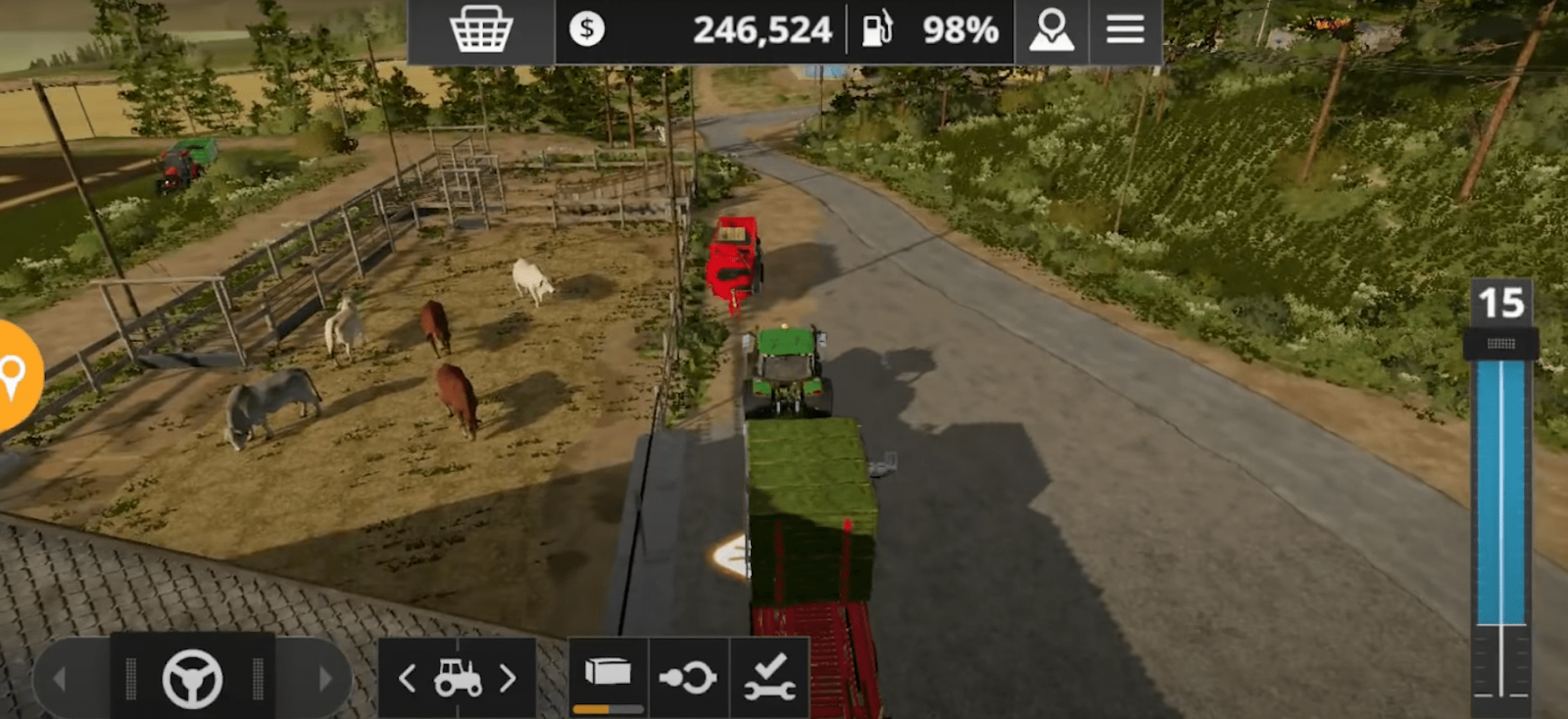
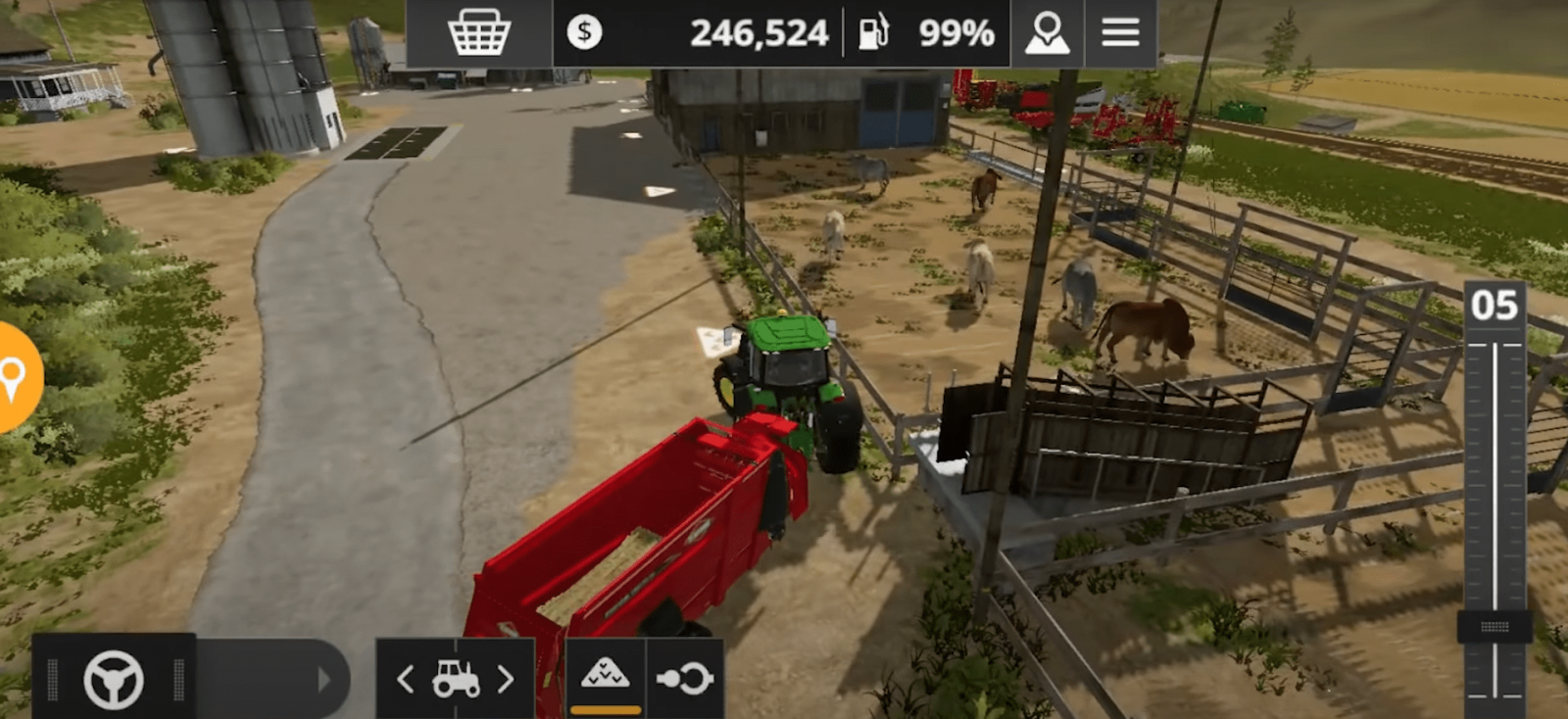
Next, we will need a special trailer for transporting bales. Attach the trailer to our tractor and go collect the grass bales. Collect all the bales, then drive to our cowshed, to the icon where the bales are unloaded (see screenshot).
Wait for the unloading. Note that some bales will disappear immediately, while others will remain at the point where you unloaded them. Don’t worry, over time these bales will automatically disappear as soon as the cows need food.
The same situation applies to hay bales. Just use the baler, then load all the bales into our trailer with the automatic unloading function, drive to the cowshed, and unload.
Go back to the animal menu and see that they already have enough food.
Important note! If you want your cows to produce manure, which can be used as free fertilizer, don’t forget to give them straw. Straw is unloaded separately from hay and grass bales, at a special point (it has its own icon).
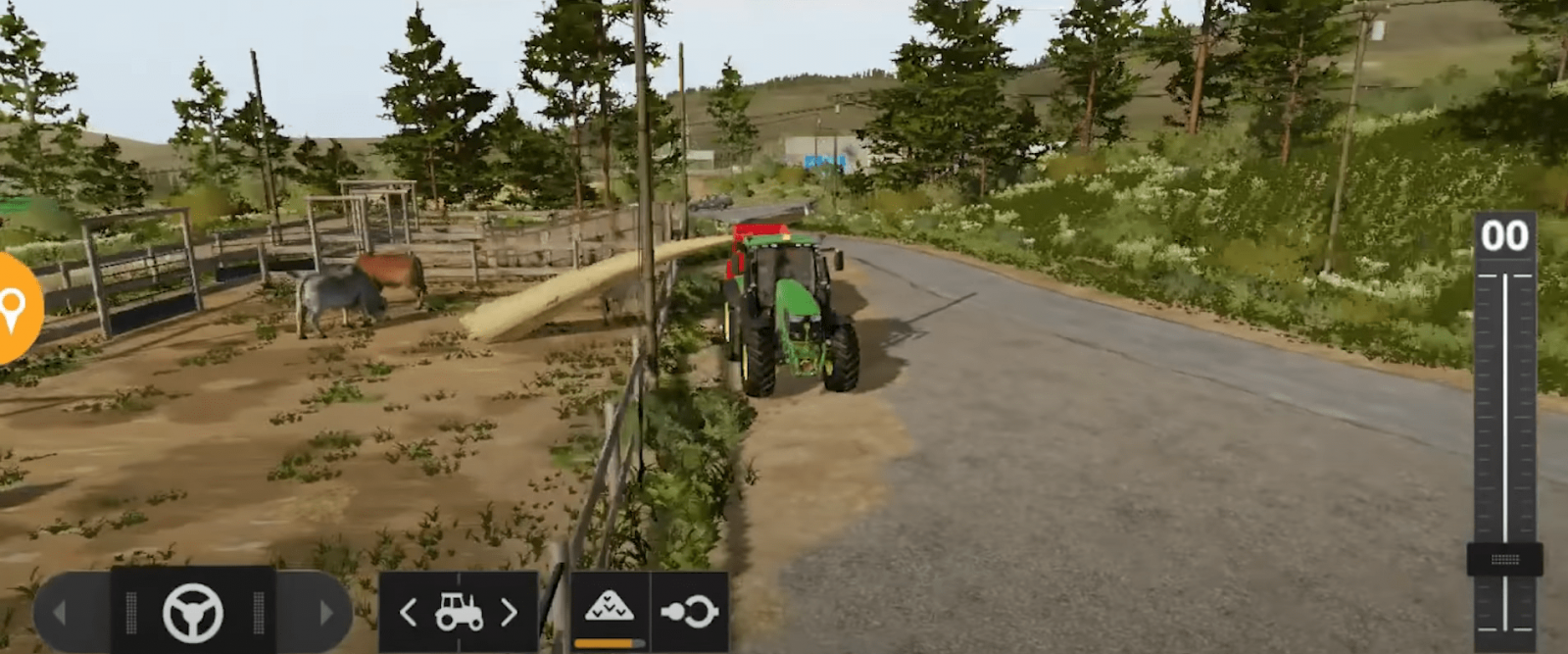
Straw unloads automatically as soon as you place the trailer in the correct position (as shown in the screenshot).
Animal needs: water
Now it’s time to give our cows water. For this, water is required. Buy a trailer for transporting water. Attach our empty trailer to the tractor and look for a water source. There are many water sources, so it won’t be difficult to find one. Drive up to the icon near the water source and start filling our trailer. Water filling starts automatically.
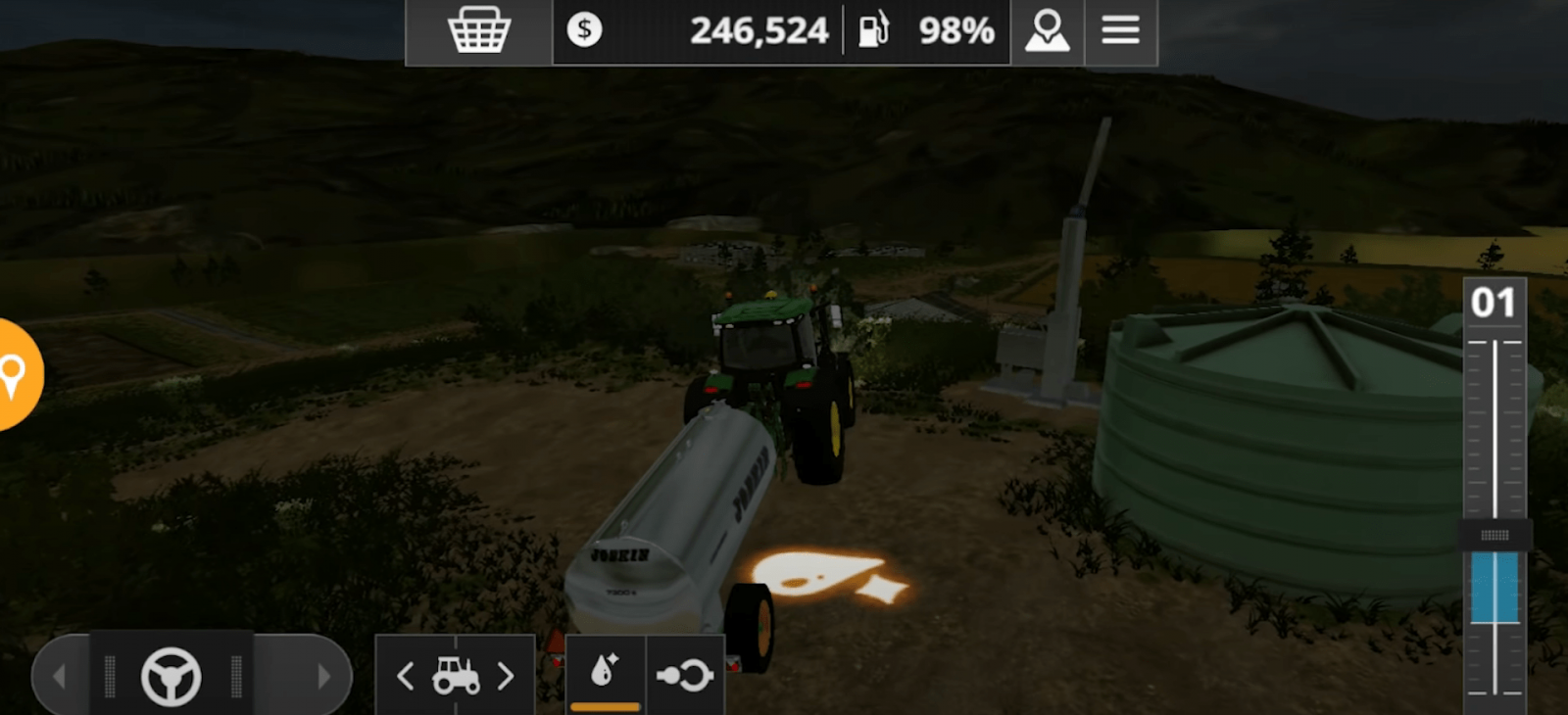
As soon as the trailer is full, return to our cowshed. Drive up to the water unloading point (there is an icon, see screenshot). Water from the trailer begins to unload, and now your cows have water. Open the menu again and make sure that in the needs window your cows have enough water to drink, and productivity is at 100%.
So, we have figured out how to feed and water cows in Farming Simulator 20.
Buying a trailer and the animals themselves
First of all, we need to buy cows. To do this, buy a special trailer for transporting animals, attach this trailer to our tractor, drive to the store where animals are sold (animal dealer, shown on the map). The store has many different cows; the choice is yours. Select the desired cow and the number of cows, then press the "confirm" button. Congratulations, you have bought a cow!
Note! You can transport several animals at once in one trailer. This all directly depends on the type of trailer and its capacity.
Now make sure the cows are in our trailer, and head to our farm where the cowshed (cow pen) is located. Near your cowshed, there will be an icon. You need to drive up to this icon, and a special menu will open where you can unload the trailer and move the animals into the pen. In the menu, select the animals you want to keep in this cowshed (to do this, press the orange button in the middle, between the "Confirm" and "Back" buttons). That’s it, press "confirm".
After that, your cows will already be in the cowshed.
Animal needs: feed
Your cows (like any other animals) have needs. You need to take care of your animals: feed and water them, and only then will you receive the necessary resources from them: milk, manure.
First, go to the animal menu, where all the current animals you own and their needs are displayed. Check this menu every 3-4 minutes to make sure everything is fine with the animals. In the corresponding menu, you will see the type of cow, how long ago you bought this cow, how much milk, manure, and slurry you have received, and productivity in percentage. In the right window, the requirements will be shown.
Cows need to be fed grass and hay. Getting grass is simple: first, mow the area where grass grows with a mower, then use a baler, which will collect all this grass (or hay) and turn it into a bale.
Next, we will need a special trailer for transporting bales. Attach the trailer to our tractor and go collect the grass bales. Collect all the bales, then drive to our cowshed, to the icon where the bales are unloaded (see screenshot).
Wait for the unloading. Note that some bales will disappear immediately, while others will remain at the point where you unloaded them. Don’t worry, over time these bales will automatically disappear as soon as the cows need food.
The same situation applies to hay bales. Just use the baler, then load all the bales into our trailer with the automatic unloading function, drive to the cowshed, and unload.
Go back to the animal menu and see that they already have enough food.
Important note! If you want your cows to produce manure, which can be used as free fertilizer, don’t forget to give them straw. Straw is unloaded separately from hay and grass bales, at a special point (it has its own icon).
Straw unloads automatically as soon as you place the trailer in the correct position (as shown in the screenshot).
Animal needs: water
Now it’s time to give our cows water. For this, water is required. Buy a trailer for transporting water. Attach our empty trailer to the tractor and look for a water source. There are many water sources, so it won’t be difficult to find one. Drive up to the icon near the water source and start filling our trailer. Water filling starts automatically.
As soon as the trailer is full, return to our cowshed. Drive up to the water unloading point (there is an icon, see screenshot). Water from the trailer begins to unload, and now your cows have water. Open the menu again and make sure that in the needs window your cows have enough water to drink, and productivity is at 100%.
So, we have figured out how to feed and water cows in Farming Simulator 20.
|
|
ARTICLE | ||
|
1.8K
|
0
0 |
||
28 Sep 2025 at 6:35
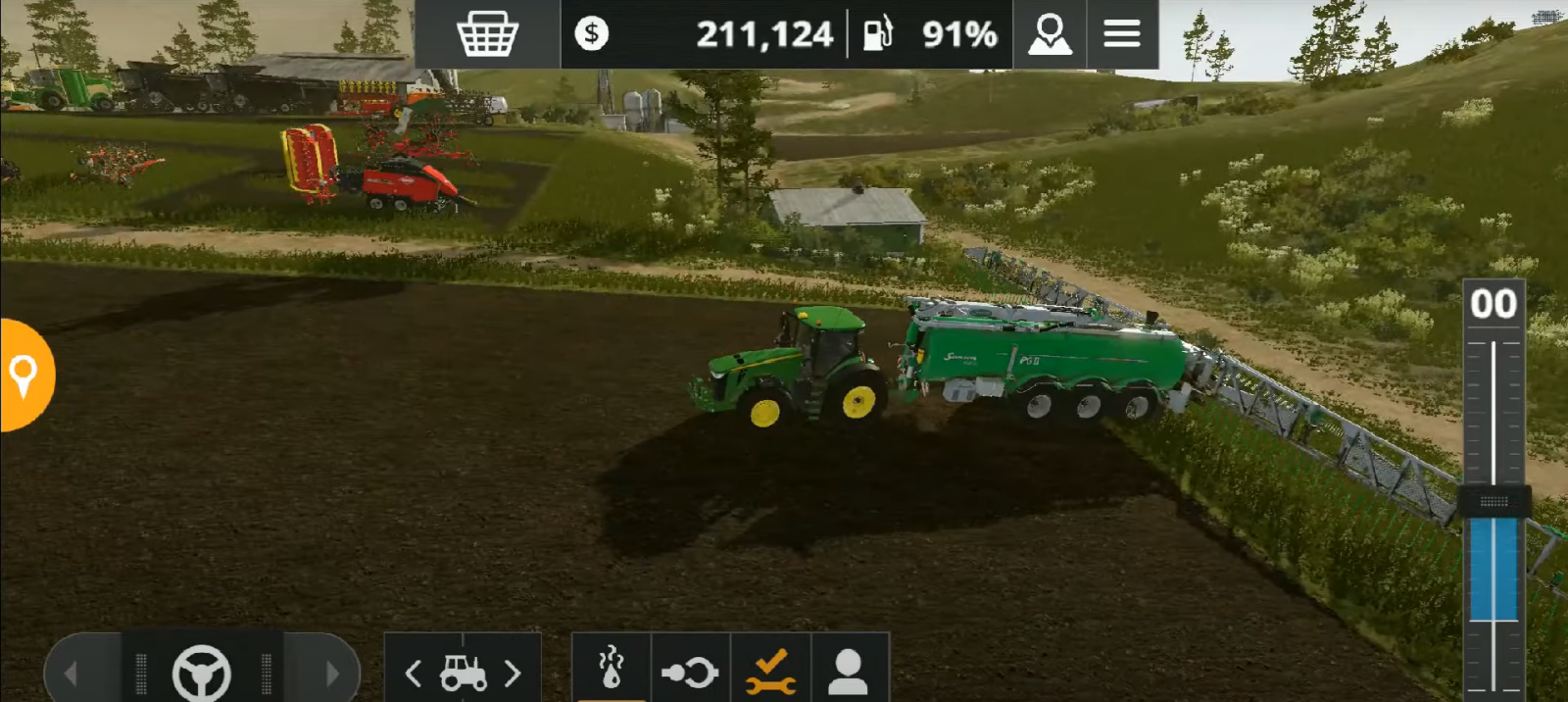
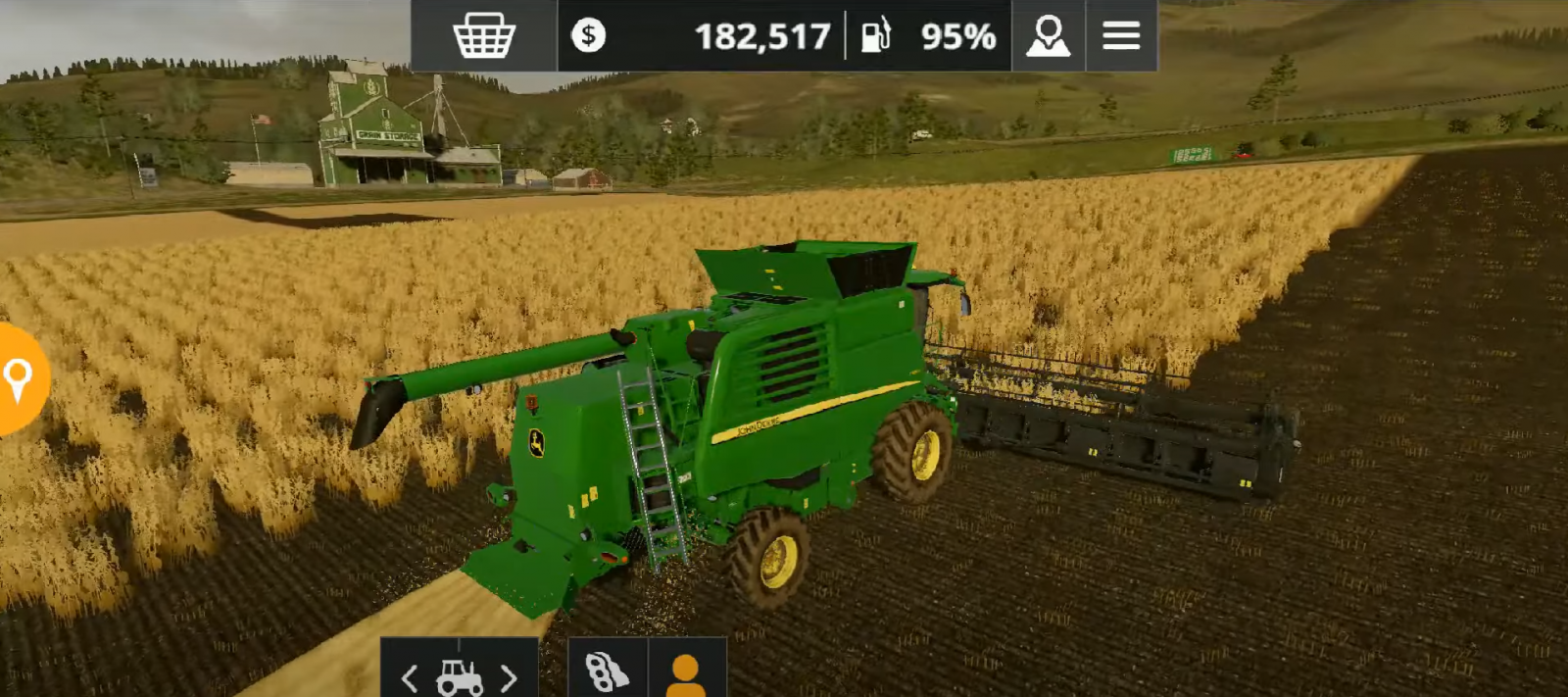
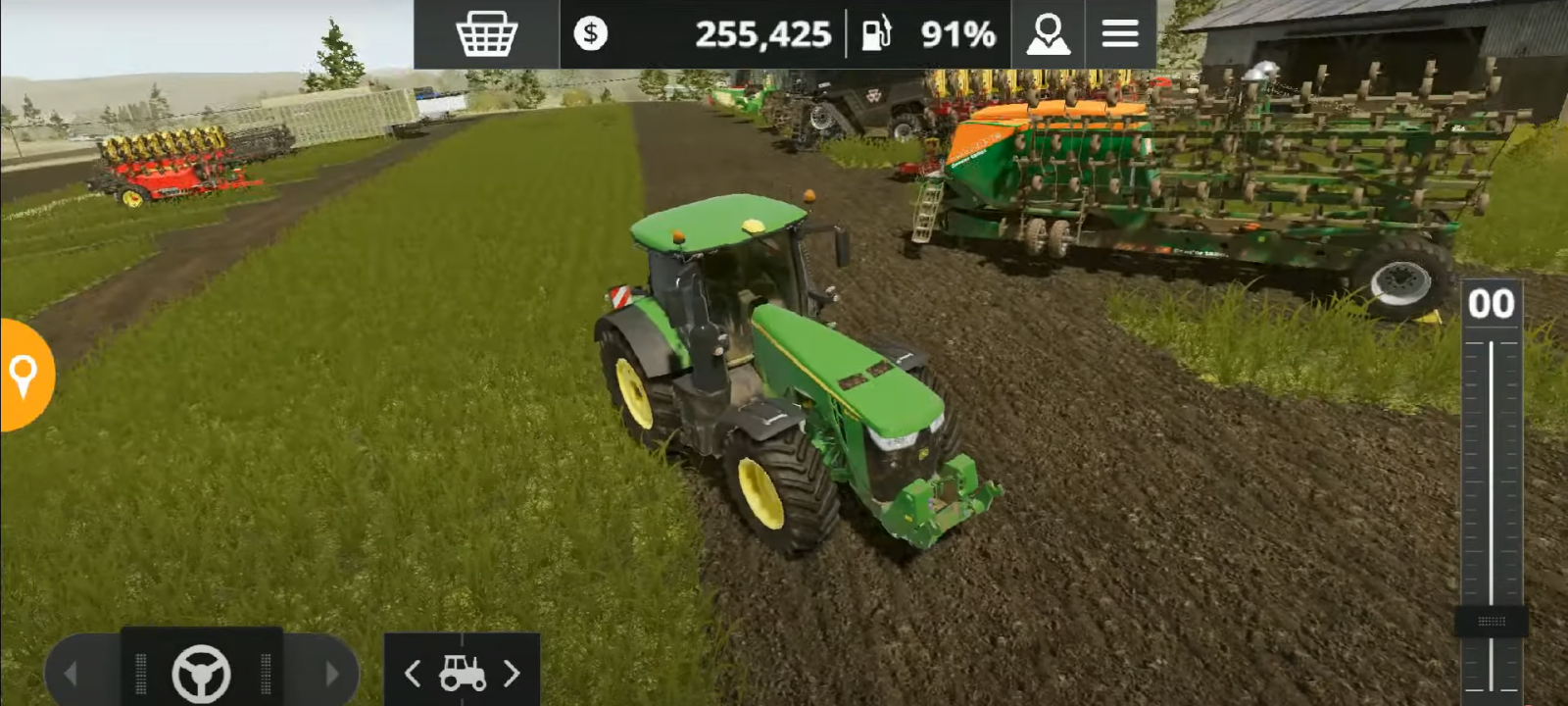
5 Tips to Increase Income in FS 20
Earning money is a very important process in Farming Simulator 20. Beginners often make mistakes that cause them to lose all their starting money. It is crucial to manage your funds wisely and know how to make money from farming; otherwise, you risk losing your business. Many beginners, unable to cope with the task, resort to microtransactions or download various .apk files/cheats to hack the game and get a lot of money. In this article, we will give you some tips on how to increase your income in FS20 and how to earn more money.
Choose the Right Crop
One of the main ways to earn money in FS20 is by growing various crops. They differ in many ways: the method of cultivation, the tools and machinery required, and the profit. You should grow crops that can be sold for a fairly decent amount and yield a good income.
Growing soybeans is an extremely profitable activity. Soy sells at a high price, and the most notable thing is that growing this crop does not require particularly expensive machinery. For example, if you decide to earn money by selling cotton, you should consider that this requires quite expensive machinery, which is not available at the start of the game. You will have to spend literally all your funds to be able to grow cotton, and it would be unwise to invest everything in one place.
In the case of soybeans, nothing overly expensive is required, and you will get a high profit from selling it. Of course, you need to pick the right moment. Constantly growing the same crop is also not advisable, as the price may drop, but if you want to make money quickly, soybeans are an excellent choice.
Keep in mind that there is no specific "golden" crop. It will take time for you to understand how to earn money properly, what to grow, and what to focus on. However, try to figure out as early as possible which crops are really worth growing and which will cost too much and take a long time to pay off.
Use Fertilizers
Yes, many experienced players might consider this advice obvious. But this guide is mainly for beginners, and many do not know that fertilizers play an important role in crop profitability. Applying fertilizer is just an additional, optional step in growing crops, which is why some players simply ignore it. However, fertilizers significantly increase your crop yield. In the end, you will get much more harvest and more money. Fertilizing your fields will give you almost twice the harvest and twice the profit.
Make sure you fertilize the field 100%. Some fertilizer spreaders do not do the job very well and only fertilize the field 50%. In that case, you will have to go over the field twice. But some spreaders fertilize the field 100% right away and significantly increase yield. Don’t forget this!
If you are involved in animal husbandry in FS20, you will have the opportunity to get free manure, free fertilizer. If you are not involved in animal husbandry, just buy fertilizer in the store.
Use a Good Harvester
When your crop is ready to be harvested, special harvesting machines are used – combines and headers for them. At the start, in "new farmer" mode, you get a harvester for free. However, many players forget to upgrade their machinery, and most importantly – the combine with the header.
The starter combine is very slow and does a poor job. The standard working width is too small, which prolongs the harvest, wasting precious time, and time is money.
Yes, you shouldn’t immediately buy the most expensive machinery, but over time, buy more expensive and powerful combines and headers, and any machinery in general. Using expensive and reliable machinery with a good working width and high speed will save you a lot of time, which you can spend on more important tasks.
You need to upgrade all your machinery eventually, but that takes time. Try to upgrade your combine with the header as early as possible when you have extra money.
Engage in Animal Husbandry
An important part of the game is animal husbandry. Taking care of animals is interesting and profitable. It is worth considering cow care separately. Yes, taking care of sheep is much easier, but there is one peculiarity. Sheep produce wool, and the game will often notify you that there is no more storage space for wool, so you will constantly have to transport this resource. With cows, you don’t have such troubles.
But why cows specifically? Let’s start with the fact that cows produce milk. This is a fairly valuable resource that you can sell for a high price and make a good profit. We have already written about how to take care of cows in FS20.
Besides milk, cows produce fertilizer (manure). That is, you can use this fertilizer when growing crops to increase crop yield. In this case, you simply get double profit since you don’t have to buy fertilizer in the store.
Spend Money Wisely
And the last piece of advice – spend your money wisely. There may come a time in the game when it seems like you have too much money. Under no circumstances should you spend your money carelessly. It is especially important to save money at the beginning of the game. If you spend money without understanding what you are doing, very soon you will have to delete your old save and start over from scratch.
For example, if you have a regular tractor that is still working fine and doesn’t need replacement or upgrading, many beginners immediately rush to buy a more expensive, flashy, and powerful tractor, but this is a mistake. With this approach, you will soon run out of money.
First, figure out what machinery you lack, what tools you need, and what you should buy to increase your income. In other words, plan all your purchases. Plan not only your purchases but all your actions. Think about whether you really need a particular machine or if the money could be better invested in buying another tool that will increase your income, because FS20 is not only a farming game, it is also a finance game. Learn to allocate your funds properly.
Choose the Right Crop
One of the main ways to earn money in FS20 is by growing various crops. They differ in many ways: the method of cultivation, the tools and machinery required, and the profit. You should grow crops that can be sold for a fairly decent amount and yield a good income.
Growing soybeans is an extremely profitable activity. Soy sells at a high price, and the most notable thing is that growing this crop does not require particularly expensive machinery. For example, if you decide to earn money by selling cotton, you should consider that this requires quite expensive machinery, which is not available at the start of the game. You will have to spend literally all your funds to be able to grow cotton, and it would be unwise to invest everything in one place.
In the case of soybeans, nothing overly expensive is required, and you will get a high profit from selling it. Of course, you need to pick the right moment. Constantly growing the same crop is also not advisable, as the price may drop, but if you want to make money quickly, soybeans are an excellent choice.
Keep in mind that there is no specific "golden" crop. It will take time for you to understand how to earn money properly, what to grow, and what to focus on. However, try to figure out as early as possible which crops are really worth growing and which will cost too much and take a long time to pay off.
Use Fertilizers
Yes, many experienced players might consider this advice obvious. But this guide is mainly for beginners, and many do not know that fertilizers play an important role in crop profitability. Applying fertilizer is just an additional, optional step in growing crops, which is why some players simply ignore it. However, fertilizers significantly increase your crop yield. In the end, you will get much more harvest and more money. Fertilizing your fields will give you almost twice the harvest and twice the profit.
Make sure you fertilize the field 100%. Some fertilizer spreaders do not do the job very well and only fertilize the field 50%. In that case, you will have to go over the field twice. But some spreaders fertilize the field 100% right away and significantly increase yield. Don’t forget this!
If you are involved in animal husbandry in FS20, you will have the opportunity to get free manure, free fertilizer. If you are not involved in animal husbandry, just buy fertilizer in the store.
Use a Good Harvester
When your crop is ready to be harvested, special harvesting machines are used – combines and headers for them. At the start, in "new farmer" mode, you get a harvester for free. However, many players forget to upgrade their machinery, and most importantly – the combine with the header.
The starter combine is very slow and does a poor job. The standard working width is too small, which prolongs the harvest, wasting precious time, and time is money.
Yes, you shouldn’t immediately buy the most expensive machinery, but over time, buy more expensive and powerful combines and headers, and any machinery in general. Using expensive and reliable machinery with a good working width and high speed will save you a lot of time, which you can spend on more important tasks.
You need to upgrade all your machinery eventually, but that takes time. Try to upgrade your combine with the header as early as possible when you have extra money.
Engage in Animal Husbandry
An important part of the game is animal husbandry. Taking care of animals is interesting and profitable. It is worth considering cow care separately. Yes, taking care of sheep is much easier, but there is one peculiarity. Sheep produce wool, and the game will often notify you that there is no more storage space for wool, so you will constantly have to transport this resource. With cows, you don’t have such troubles.
But why cows specifically? Let’s start with the fact that cows produce milk. This is a fairly valuable resource that you can sell for a high price and make a good profit. We have already written about how to take care of cows in FS20.
Besides milk, cows produce fertilizer (manure). That is, you can use this fertilizer when growing crops to increase crop yield. In this case, you simply get double profit since you don’t have to buy fertilizer in the store.
Spend Money Wisely
And the last piece of advice – spend your money wisely. There may come a time in the game when it seems like you have too much money. Under no circumstances should you spend your money carelessly. It is especially important to save money at the beginning of the game. If you spend money without understanding what you are doing, very soon you will have to delete your old save and start over from scratch.
For example, if you have a regular tractor that is still working fine and doesn’t need replacement or upgrading, many beginners immediately rush to buy a more expensive, flashy, and powerful tractor, but this is a mistake. With this approach, you will soon run out of money.
First, figure out what machinery you lack, what tools you need, and what you should buy to increase your income. In other words, plan all your purchases. Plan not only your purchases but all your actions. Think about whether you really need a particular machine or if the money could be better invested in buying another tool that will increase your income, because FS20 is not only a farming game, it is also a finance game. Learn to allocate your funds properly.
|
|
MOD UPDATE |
||
|
102
57 |
0
0 |
||
28 Sep 2025 at 6:34
Skagit Map version 15.02.22 for Spintires: MudRunner (v25.02.21)
A small beautiful map for rock crawling. The author expresses gratitude to nix, spun, smar, rockrunner, forces, surge, ghost, smed, tattoo, terminator, and everyone else who participated in the creation of the map.
The most popular mods

 Spintires: MudRunner
 SnowRunner
 Euro Truck Simulator 2
 American Truck Simulator
 Farming Simulator 2017
 Farming Simulator 2019
 Farming Simulator 2022
 BeamNG.drive
 City Car Driving
 Farming Simulator 20
 OMSI 2
 Assetto Corsa
 MXB
MXB
by downloads per week
by downloads per month
There are no mods yet
by downloads per week
by downloads per month
There are no mods yet
by downloads per week
by downloads per month
There are no mods yet
by downloads per week
by downloads per month
There are no mods yet
by downloads per week
by downloads per month
There are no mods yet
by downloads per week
by downloads per month
There are no mods yet
by downloads per week
by downloads per month
There are no mods yet
by downloads per week
by downloads per month
There are no mods yet
by downloads per week
by downloads per month
There are no mods yet
by downloads per week
by downloads per month
There are no mods yet
by downloads per week
by downloads per month
There are no mods yet
by downloads per week
by downloads per month
There are no mods yet
by downloads per week
by downloads per month
There are no mods yet
by downloads per week
by downloads per month
There are no mods yet